
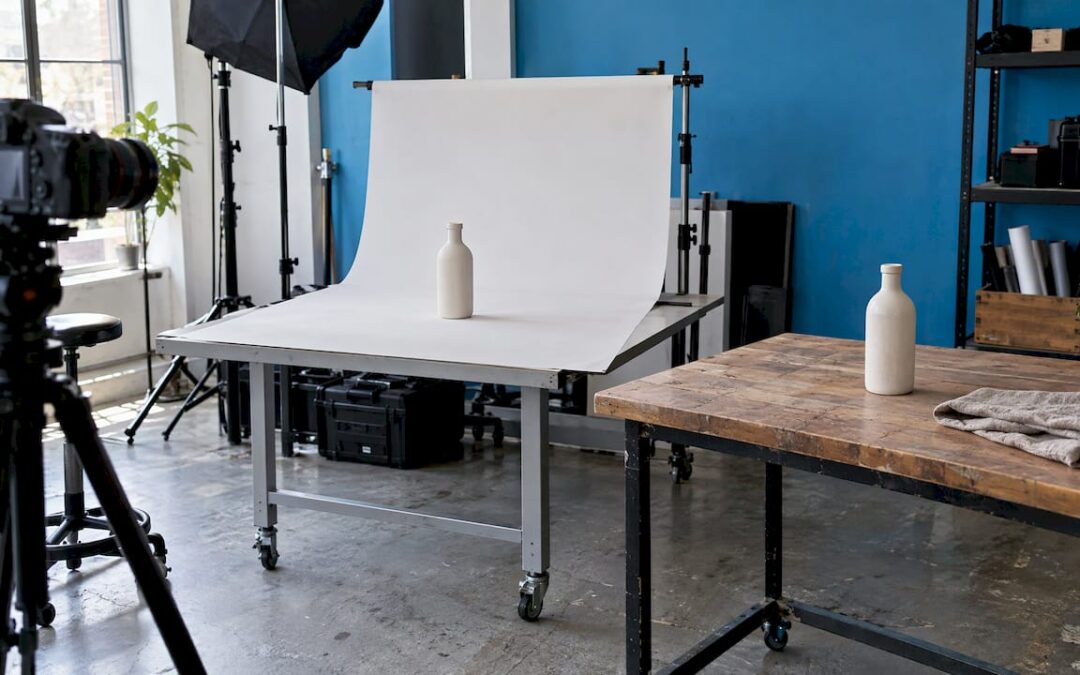
Product photography shows exactly what you sell: clean, accurate, easy to compare. Lifestyle photography shows that product in a real scene, in use, so a shopper can picture it in their own life. Most businesses need both, and the real question is which one leads on each page and each channel.
TL;DR
- Product shots (white or neutral background) answer “what exactly am I buying?” Lifestyle shots answer “what will this be like to own?”
- Use product shots for marketplace main images, catalogs and comparison grids. Use lifestyle shots for your homepage, ads, social and the second half of a product gallery.
- A strong starter set mixes both: clean hero, a few angles and details, then two or three lifestyle scenes.
- Props, models, location and retouching are what push a shoot from one style to the other, and they drive the budget.
- Plan the shoot around a shot list tied to where each image will live, not around the camera.
Table of Contents
- What product photography is
- What lifestyle photography is
- Lifestyle vs product photography: the differences that matter
- What shoppers need from each type
- When to use product photos, lifestyle photos, or both
- Production choices that shape the result
- Where each style earns its keep across your marketing
- How to keep a set consistent
- What affects the cost
- Our perspective
- Work with us on your imagery
- FAQ
- Sources
What product photography is
Product photography is commercial still-life photography. According to Shopify’s beginner guide, it shows products accurately and attractively for ecommerce, advertising and catalogs, using styling, controlled lighting and retouching to help shoppers understand what they are buying.
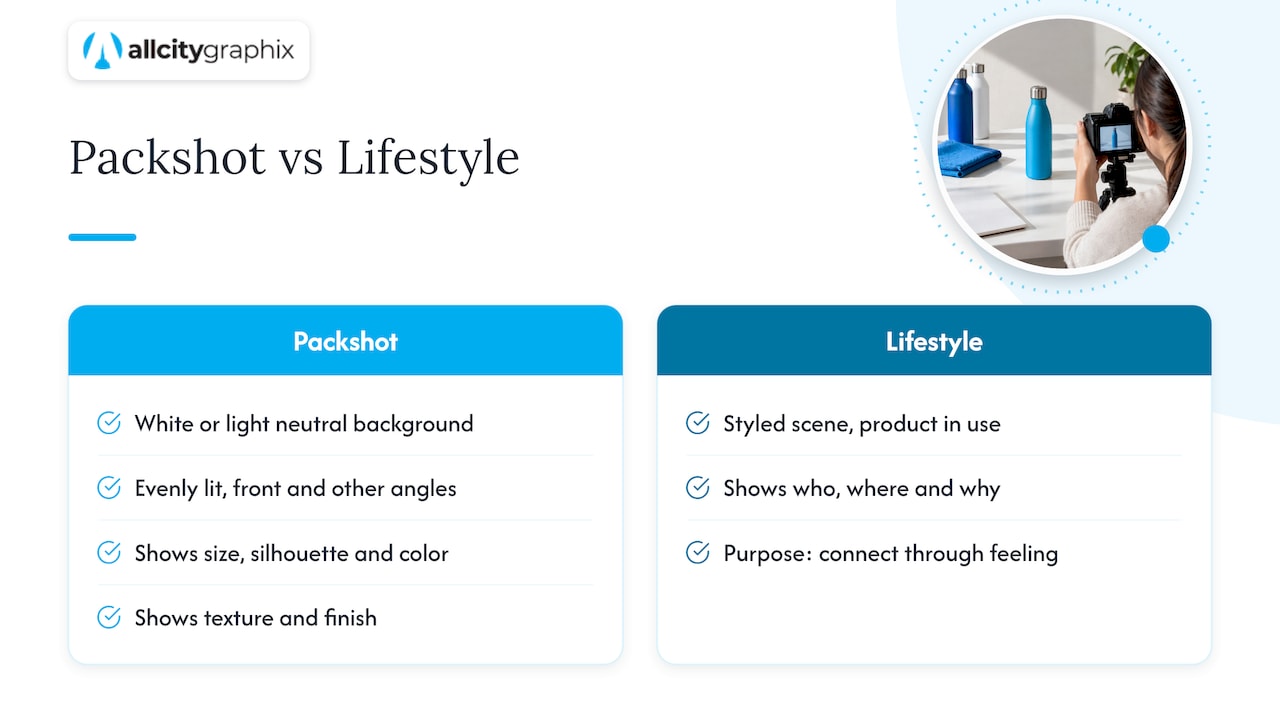
The classic version is the packshot: the item on a white or light neutral background, evenly lit, shot from the front and a few other angles. Its job is information. Size, silhouette, color, texture and finish should be obvious at a glance.
The category is broader than the packshot, though. Adobe describes professional product photography as including product-only imagery that captures details like size, silhouette and color, as well as more complex lifestyle photos showing a product in use. So lifestyle is technically a branch of product photography. When people search “lifestyle vs product photography,” they mean the practical split: clean studio shots versus styled scenes.
What lifestyle photography is
Lifestyle photography places the product in a setting that suggests a moment: a ceramic mug on a breakfast table, a backpack on a commuter, a skincare serum on a bathroom shelf with morning light. The product is still the subject, but the scene carries a story about who uses it, where and why.
A lifestyle image typically adds one or more of these:
- Context: a room, a street, a trail, a kitchen.
- People: hands, a partial figure or a full model using the item.
- Props: supporting objects that signal taste, use or scale.
- Mood: warm window light, bold color, texture, motion.
The goal shifts from “inform” to “connect.” You are selling the feeling and the use case along with the object.
Lifestyle vs product photography: the differences that matter
| Product (packshot) | Lifestyle | |
|---|---|---|
| Main job | Show the item accurately | Show the item in use and build desire |
| Background | White, gray or simple seamless | Real or built scene |
| People and props | Rarely | Often |
| Lighting | Controlled, even, repeatable | Directional, natural or mood-driven |
| Best channels | Marketplaces, catalogs, comparison grids, product page lead image | Homepage, ads, social, email, About and campaign pages |
| Consistency | Easy to match across hundreds of SKUs | Needs a style guide to stay cohesive |
| Production effort | Lower per image, easy to batch | Higher per image: planning, styling, location, sometimes talent |
A typical catalog breakdown, as one product photography studio lays it out, runs from catalog or packshot work, to lifestyle images showing context and use, to detail and macro shots of materials, labels, hardware and print quality. That third type is worth remembering: it bridges the two styles and answers the close-up questions that neither a packshot nor a scene always covers.
What shoppers need from each type
Think of a shopper’s questions in sequence.
- “What is it?” A clean image with nothing competing for attention.
- “What does it look like up close?” Detail shots of stitching, ports, labels, finish.
- “How big is it?” A scale reference: a hand, a shelf, a person.
- “Is it for someone like me?” A scene that reflects your customer’s life.
- “Can I trust this brand?” Consistent, professional imagery across the whole site.
Packshots and details handle questions one and two. Lifestyle handles three, four and part of five. Skipping either leaves a gap the shopper fills with doubt.
When to use product photos, lifestyle photos, or both
Use product-first when the platform or the purchase demands precision
Marketplaces are the clearest example. Amazon’s seller guidance says every product needs at least one image, prefers images larger than 1,000 pixels on each side, and recommends JPEG. It also notes that white backgrounds keep product shots simple and focused, while colorful or textured backgrounds add mood to creative or lifestyle shots. If you sell on a marketplace, your lead image is a clean product shot and your lifestyle images go further down the gallery. For a deeper look at file sizes and marketplace specs, this guide on image optimization and file-size choices shows how image weight and matching affect discoverability.
Product-first also fits:
- Technical or spec-driven items (electronics, hardware, parts) where buyers compare dimensions and ports.
- Large catalogs where consistency across hundreds of SKUs matters more than mood.
- Print catalogs, line sheets and wholesale decks.
Use lifestyle-first when the buyer is purchasing an identity or an experience
Lifestyle leads when the product is bought as much for how it feels as what it does: apparel, home goods, food and beverage, wellness, gifts, travel gear, décor. It also leads on channels where people scroll rather than search: social feeds, paid social, email headers, your homepage hero and campaign landing pages. A scene stops the thumb in a way a white background rarely does.
It also suits products that are hard to understand from a packshot. A modular storage system or a serum routine makes more sense when you see it in use.
Use a mix on the product page
On your own website, you control the gallery, so the best answer is usually a sequence:
- Clean hero shot on a neutral background.
- Two or three alternate angles.
- One or two detail shots.
- One scale or in-hand image.
- Two or three lifestyle scenes.
That structure is the backbone of the six-to-eight image set we describe in our guide to building a product image set for small ecommerce sellers.
A quick decision guide
| Your situation | Lead with | Add |
|---|---|---|
| Selling on a marketplace | Product (white background) | Lifestyle and infographic images deeper in the gallery |
| Shopify or WooCommerce store | Product hero | Lifestyle scenes to follow, plus detail shots |
| Brand launch or rebrand | Lifestyle | Product set for the shop |
| Paid social and email | Lifestyle | A clean product cut-out for retargeting |
| Service or B2B firm | Brand and team imagery | Product or work-in-use shots where relevant |
| Tight budget, small catalog | Product, done well | One hero lifestyle scene reused across channels |
Production choices that shape the result
The two styles differ less in equipment than in decisions. Each of these choices changes the look and the cost.
Props and set
Props do three jobs: they show scale, suggest use and set a tone. The risk is clutter. A good rule is that every prop should answer a shopper question or reinforce your brand, and nothing in the frame should be more visually loud than the product. Amazon’s seller guidance notes that props, models and natural or artificial lighting all help create an image’s look, which is a reminder that these are deliberate levers, not decoration.
Models and hands
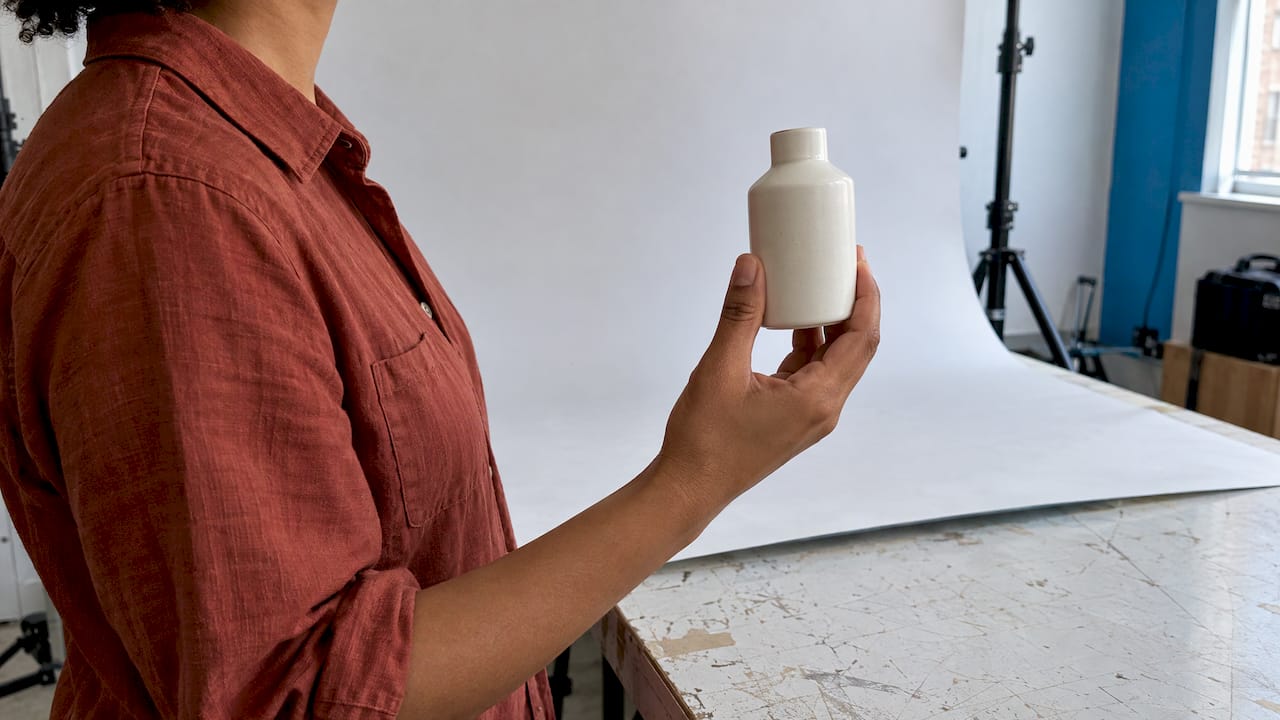
A hand holding a product communicates size better than a measurement line. A full model communicates fit and aspiration. Models add casting, scheduling, usage rights and styling to the plan, so decide whether you really need a face or whether hands and partial crops tell the story. Whatever you choose, keep it consistent across the set.
Location versus studio
A studio gives you repeatable light and a controlled schedule. A location gives you authenticity and variety. Many brands shoot packshots in a studio and build lifestyle scenes on a tabletop set that imitates a room, which keeps costs closer to packshot levels while delivering the mood of a scene.
Lighting
Product work leans on controlled, soft, even light so color and texture read accurately. Lifestyle work leans on direction, shadow and warmth. If you are starting small, our one-light setup guide for small sellers walks through a simple way to get clean packshots before you add complexity.
Retouching
Retouching is a normal part of both styles. Product photos can be edited to adjust lighting, color balance and crop, and to remove imperfections. The line to hold: edits should make the photo match the real product, not misrepresent it. Color accuracy matters especially when customers return items that do not look like the photo, and it connects to how your files are prepared for screen and print, which we cover in our CMYK vs RGB guide.
Where each style earns its keep across your marketing
Images are not only for the product page. The same shoot can feed several channels, and commercial photographers have long built work for exactly this. Commercial still life and editorial work shows how a single visual idea can carry across campaigns, ads and brand storytelling when the styling is planned from the start.
A practical map:
- Product pages: packshot hero, details, then lifestyle.
- Homepage and collection pages: lifestyle hero banners, with product cut-outs in grids.
- Paid ads: lifestyle for prospecting, clean product shots with offers for retargeting.
- Email: a lifestyle header and product grid below it.
- Social: lifestyle and behind-the-scenes, with product close-ups for reels and stories.
- Search: descriptive file names, alt text and fast-loading files on every image. Our Shopify product page SEO guide covers how to handle this element by element.
How to keep a set consistent
A mixed set looks professional only when the images feel like they came from one brand. Four habits do most of the work:
- Write a shot list before shooting. List each image, its purpose and its destination. Packshot angles are repeatable; lifestyle scenes should each answer a specific question.
- Fix your visual rules. Pick a color palette, a lighting direction, a crop ratio and a prop family, and apply them to every shoot. Your brand colors should show up in props and backdrops; see our guide to choosing two to four brand colors.
- Batch by type. Shoot all packshots in one session with one lighting setup, then build lifestyle scenes in a second pass.
- Match specs to channels. Export the sizes each platform wants. Marketplace requirements like the 1,000-pixel minimum Amazon prefers are a good baseline for your own site too.
If you are planning a larger brand shoot with a team, location or talent, our brand photoshoot planning guide breaks down the steps. And if people are part of your imagery, such as employees, read our note on avoiding hidden costs when rolling out team headshots.
What affects the cost
Prices vary widely, and any studio quoting a single number is quoting for a specific scope. These are the factors that move a quote:
- Number of products and shots per product. A packshot set is batched; each lifestyle scene is closer to its own mini production.
- Styling and props. Sourcing, building and returning items takes time.
- Talent. Models, hand models and usage rights add line items.
- Location or set build. A rented space or custom backdrop costs more than a tabletop.
- Retouching depth. Simple cleanup differs from heavy compositing or color matching.
- Usage. Where and for how long the images will run (web only, paid ads, packaging, print) can affect licensing.
- Turnaround. Rush schedules usually cost more.
To budget well, decide how many hero images you need and how many can be reused. One strong lifestyle scene, cropped for different formats, often outperforms five weak ones. We do not publish fixed photography prices because scope drives them; a short discovery conversation gets you a quote tied to your actual shot list.
Our perspective
We see the same mistake from small brands again and again: they treat photography as a separate line item instead of part of the brand. A packshot with no point of view looks like everyone else’s. A beautiful lifestyle scene with no clean product view leaves shoppers guessing.
Our approach starts with discovery. Who is the buyer, where will they first meet you, and what do they need to see to say yes? From there, we map the imagery to the brand identity, the website and the marketing plan, so the photography works with your colors, layout and message instead of fighting them.
With more than 15 years in branding, web design and digital marketing, we think of a shoot as a asset library. Clean product images carry the shop. Lifestyle images carry the story. Both should be planned together, shot to a single style guide, and supported after launch so the set grows with your catalog.
If you are choosing between the two, our advice is rarely “either.” Start with the shot list, and let the channels decide the mix.
Alex
Work with us on your imagery
If you want photography that fits your brand, your site and your campaigns, we can plan and deliver it as part of a wider creative project. Our team works with small businesses, startups and established companies on branding, web design, digital marketing and custom photography, starting with a discovery meeting to define what you actually need.
See our photography work, explore our full list of services, or get in touch through All City Graphix to talk through your shot list.
FAQ
Is lifestyle photography a type of product photography?
Yes. Product photography is commercial still-life work that includes both product-only images and more complex lifestyle images showing a product in use, as Adobe’s overview explains. In everyday use, “product photography” usually means clean packshots, and “lifestyle” means styled scenes.
Which converts better, lifestyle or white-background images?
It depends on the product, the channel and the shopper’s stage. Clean images help buyers verify what they are getting, and scenes help them imagine owning it. The safest approach is a gallery that includes both, then reviewing your own store analytics to see which images get attention.
Do I need lifestyle photos if I sell on a marketplace?
Your main image should follow the platform’s rules, which for Amazon means a clean product shot. Lifestyle images still belong deeper in the gallery, where they show use, scale and context, and they are useful on your own site and in ads as well.
How many images should a product page have?
Six to eight is a strong starting point for most small stores: a hero, a few angles, one or two details, and two or three lifestyle images. Add more for complex products where buyers need to see features or sizing.
Can I start with one and add the other later?
Yes. Start with high-quality packshots so your catalog is accurate and consistent, then add lifestyle scenes for your best sellers and for campaigns. Plan the style guide up front so later shoots match.
Sources
- Product Photography: A DIY Guide for Beginners, Shopify
- Product photography: Tips and techniques, Adobe
- How to take product photos, Sell on Amazon
- What is product photography?, Coconut Product Photography
- What Is Product Photography? Types and Meaning, PathEdits
- Image SEO for Self Storage: file sizes and matching
- Fine art eye in editorial campaigns