

The best website discovery questions cover seven things: why the site exists, who it serves, what it must do, what content you have, how success gets measured, who signs off, and what constraints (budget, platform, accessibility, old URLs) shape the work. Answer them before anyone opens a design tool. Below are the questions we ask, why each one matters, and what a useful answer looks like.
TL;DR
- Discovery is risk reduction. It tests your assumptions before you pay to build on them.
- Ask about goals and measurement first, then audience, functionality, content, constraints and decision-making, in that order.
- Name one person with final sign-off. Unclear approval authority derails more projects than any technical problem.
- Raise accessibility and URL migration during discovery, not at launch. Both are far costlier to fix late.
- Good answers are specific and numeric. “More leads” is a wish. “Twenty qualified quote requests a month” is a goal.
Table of Contents
- What website discovery is, and what it should produce
- Part 1: Goals and measurement
- Part 2: Audience and customers
- Part 3: Brand and positioning
- Part 4: Functionality and structure
- Part 5: Content
- Part 6: Scope, budget, timeline and decisions
- Part 7: Accessibility, legal and technical constraints
- If you are redesigning: questions about your existing URLs
- Who should answer, and when
- Our perspective: discovery decides the project
- How to run your own discovery in a week
- Working with All City Graphix
- FAQ
- Sources
What website discovery is, and what it should produce
Nielsen Norman Group describes discovery as a preliminary phase in which you research the problem space, frame the problems to solve and collect enough evidence to decide what to do next. In practice, it is a structured conversation plus some homework, held before design and development begin.
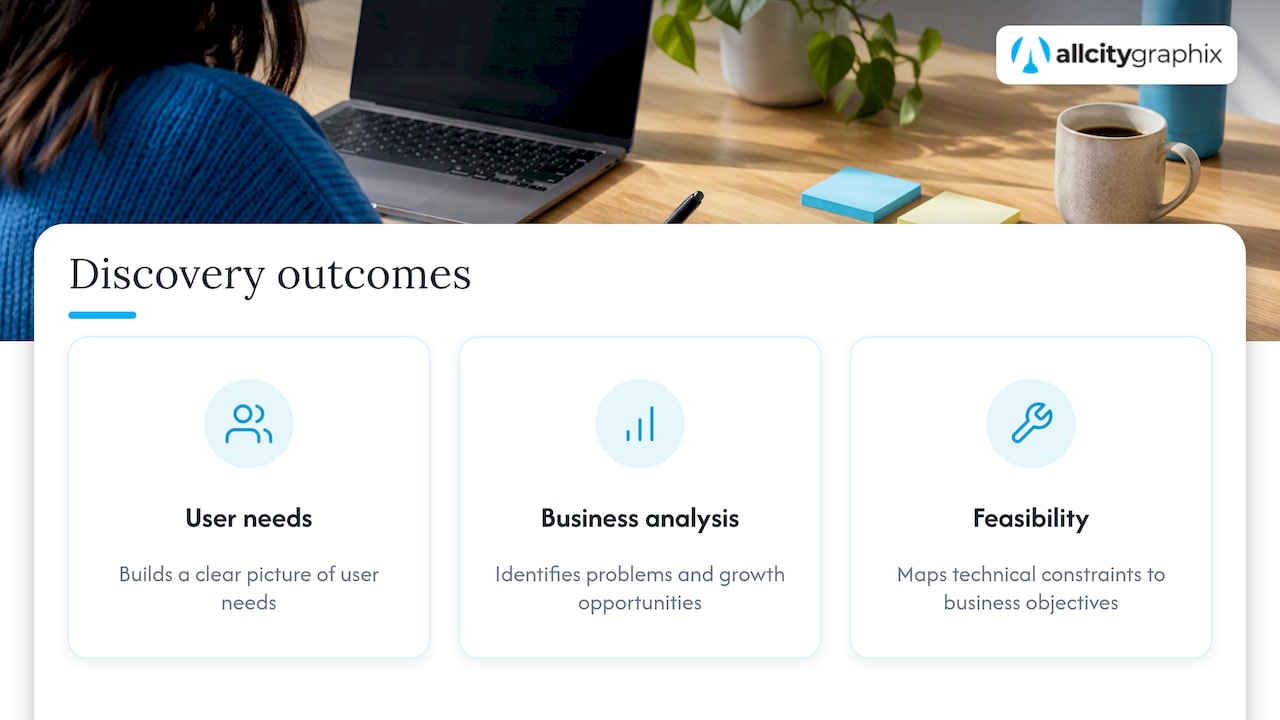
A solid discovery should leave you with three outcomes, per NN/G’s guidance: a clear picture of what users need, an analysis of business problems and growth opportunities, and a map of technical constraints against business objectives so you know the project is feasible. Projects that skip this rarely fail for lack of craft. They fail because nobody agreed on what the site was for.
The payoff can be concrete. NN/G reported that iterative research and testing on Mozilla’s support site cut support calls by 70%. Your site is not Mozilla’s, but the lesson carries: finding out how people actually use a site is cheaper than guessing.
One trap worth naming early. Marketing research and UX research overlap, and teams often treat them as the same thing. Marketing discovery asks how customers find you and what they feel about you. UX discovery asks whether they can complete tasks once they arrive. A website that is both persuasive and usable needs both lines of questioning, so the questions below mix them on purpose.
Part 1: Goals and measurement
Start here, because every later answer gets judged against it.
- Why do you need this website now? Typical honest answers: the current site looks dated, it does not work on phones, it cannot take orders, or the business has changed. The trigger tells us whether we are fixing a problem or pursuing an opportunity.
- What is the single most important action a visitor should take? Book a consultation, request a quote, buy, call, or subscribe. If you list five, we will ask you to rank them. Pages built for five equal goals tend to serve none well.
- How will we know the site worked? Pick numbers: conversion rate, lead volume, orders, organic traffic. The W3C’s planning guidance suggests identifying key metrics during discovery, such as conversion rates, lead generation volume or traffic targets, so they can be tracked against milestones after launch.
- What is the business trying to achieve in the next 12 months? A website that supports a plan to open a second location differs from one that supports a plan to sell wholesale.
- What is not working on the current site? Ask your team, your sales staff and a few customers. Complaints about the site that arrive by phone are discovery gold.
What a good answer looks like: “We get about 15 quote requests a month from the site and want 30, mostly from homeowners in Queens and Brooklyn.” It has a baseline, a target and an audience.
Part 2: Audience and customers
- Who is your primary customer? Describe a real person, not a demographic. What do they want, what do they need to feel before buying, and what objections do they raise?
- Who is a secondary audience? Job candidates, press, investors, existing customers looking for support. They affect navigation even if they are not the main target.
- What questions do customers ask before they buy? Your sales and support teams already know. These become page content and FAQ entries.
- How do people find you today? Referrals, search, social, ads, walk-ins. If most revenue comes from word of mouth, the site’s job is to confirm credibility fast, not to win cold traffic.
- Which devices and situations matter? A contractor’s customer is probably on a phone at 9 p.m. A B2B buyer may be on a desktop comparing three vendors. Our practical guide to responsive web design covers why this shapes layout decisions.
If you have never talked to customers about the site, do five short interviews before the project starts. It is the cheapest research you will do.
Part 3: Brand and positioning
- How would you describe your business in two sentences? If it takes a paragraph, the website copy will struggle too.
- What makes you different from the alternatives your customers consider? Alternatives include other providers, doing it themselves, and doing nothing.
- Which three adjectives describe how you want to be perceived? Then ask: which of those does the current site actually convey?
- Do you have brand guidelines, a logo in vector format, and approved photography? If not, the site project may need a brand step first. If your identity is thin, our brand development work goes from strategy to visual identity before layouts begin.
- Which competitor or non-competitor sites do you admire, and why? The “why” matters more than the link. Someone who admires a site for its speed wants something different from someone who admires its photography.
Part 4: Functionality and structure
- What must the site do on day one, and what can wait? Separate must-have from nice-to-have. The W3C planning page lists required functionality, with that distinction, among the essentials to settle before technical work starts.
- Do you need to sell online, take bookings, or collect payments? This decides between a content site and an e-commerce build, and affects platform choice.
- Which systems must connect to the site? CRM, email platform, scheduling tool, inventory, accounting, analytics. Integrations are where hidden cost lives.
- Who updates the site, and how often? If your marketing coordinator edits pages weekly, the content management system must suit a non-developer. If nobody will touch it, maintenance becomes the question.
- What pages exist now, and which should survive? A page inventory with traffic and lead data shows what to keep, merge or retire. It also feeds the sitemap. Our note on website sitemap structure explains how to plan one, and navigation guidance built on WCAG 2.4 covers how people move through it.
Part 5: Content
Content is where schedules slip, because it depends on you rather than on the agency.
- Who writes and approves the copy? Assign a name. Many delays trace back to copy waiting on one busy owner.
- What content already exists? Service descriptions, case studies, testimonials, team bios, product data, photos, videos.
- What is missing? Original photography is a common gap. Stock imagery rarely makes a local business look like itself.
- What will you publish after launch? A blog, project updates, resources. If the answer is yes, the structure must accommodate it. Our guide to website content strategy walks through planning it, and the content marketing strategy article covers tying it to revenue.
- Who owns the voice? Founder-led businesses often need someone to capture how the owner really talks. Tools exist that help teams manage brand voice and reviewer sign-off across content, which becomes useful once several people contribute.
Part 6: Scope, budget, timeline and decisions
- What is the budget range? Not asking this wastes everyone’s time. A range lets us propose what fits rather than a design you cannot afford to build.
- Is there a hard deadline? A trade show, a product launch, a seasonal peak. Real deadlines shape scope. Artificial ones create rework.
- Who has final sign-off? One name. NN/G’s background on discovery points to stakeholder alignment, and above all to knowing who truly has final authority, as a frequent project killer that generic templates skip.
- Who else must be consulted? Owners, finance, operations, legal, the person who answers the phone. Consulted is different from approving.
- What is in scope, and what is explicitly out? Writing it on one page prevents most arguments later. A one-page creative scope approach is a useful model: it states deliverables, exclusions, revision rounds and approvers in a form people actually read.
The W3C’s guidance also stresses assigning an owner to each requirement. That is how scope creep gets prevented: every request lands on a named person and a named line in the scope.
Part 7: Accessibility, legal and technical constraints
These questions feel like fine print. Ask them early anyway.
- What accessibility standard will the site meet? The W3C advises building accessibility into the requirements from the start. Its planning material notes that fixing problems late can mean re-coding core components and workflows, which hits budget and timeline. Accessibility also touches several teams: marketing owns brand guidelines, purchasing owns procurement, and quality assurance owns testing. Our overview of what the law requires on ADA website compliance explains the legal context for US businesses.
- Are there privacy or industry rules? Cookie consent, payment handling, health or financial data. Each can change what the site collects and how forms work.
- Which platform will it run on? WordPress, Shopify or something else follows from the functionality and ownership answers above, not the other way around.
- Where is the site hosted, and who controls the domain and logins? You would be surprised how often a business cannot find the account that holds its domain. Locate it now.
- How fast does it need to be, and what does the current analytics setup track? If analytics are not installed correctly, you have no baseline to beat.
If you are redesigning: questions about your existing URLs
Established businesses carry search equity in their current pages. If URLs will change, discovery must include a migration plan.
Google’s documentation on site moves with URL changes says to prepare a mapping from current URLs to new ones and to redirect from the old URLs to the new ones on the server. Google’s redirect guidance covers permanent redirects for pages that have moved for good. Ask:
- Which pages earn traffic, links or leads today?
- Will any URLs, the domain or the platform change?
- Who will build and test the redirect map before launch?
- Who watches Search Console for errors in the weeks after?
Keep redirects direct. Chains of hops slow users and crawlers, so map each old URL straight to its final destination. For a deeper walk-through, see our migration SEO runbook and the guide to migrating to WordPress with a staging site first.
Who should answer, and when
| Topic | Best person to answer | Evidence to bring |
|---|---|---|
| Goals and KPIs | Owner or head of marketing | Last 12 months of leads or sales |
| Audience | Sales, support, front-line staff | Customer emails, reviews, call notes |
| Brand | Owner, founder | Logo files, guidelines, past materials |
| Functionality | Operations and the person who runs day-to-day tasks | Current tools and workflows |
| Content | Whoever will write and approve | Existing pages, photos, case studies |
| Scope and budget | Final decision-maker | Budget range, deadline |
| Accessibility and legal | Owner plus counsel where relevant | Policies, past complaints |
| URLs and SEO | Whoever manages analytics | Search Console and analytics access |
Our perspective: discovery decides the project
We have spent more than 15 years building brands and websites, and the pattern is consistent. Projects go wrong in the first two weeks, not the last two. A site that launches on time and on budget can still fail if the goal was fuzzy.
So we run discovery as a real working phase, not a questionnaire you fill in alone. Our process starts with discovery meetings with experienced leadership in the room, because the answers are rarely in the form. They come out in conversation: the customer you quietly wish you had fewer of, the service that makes the most margin, the competitor that keeps winning on price.
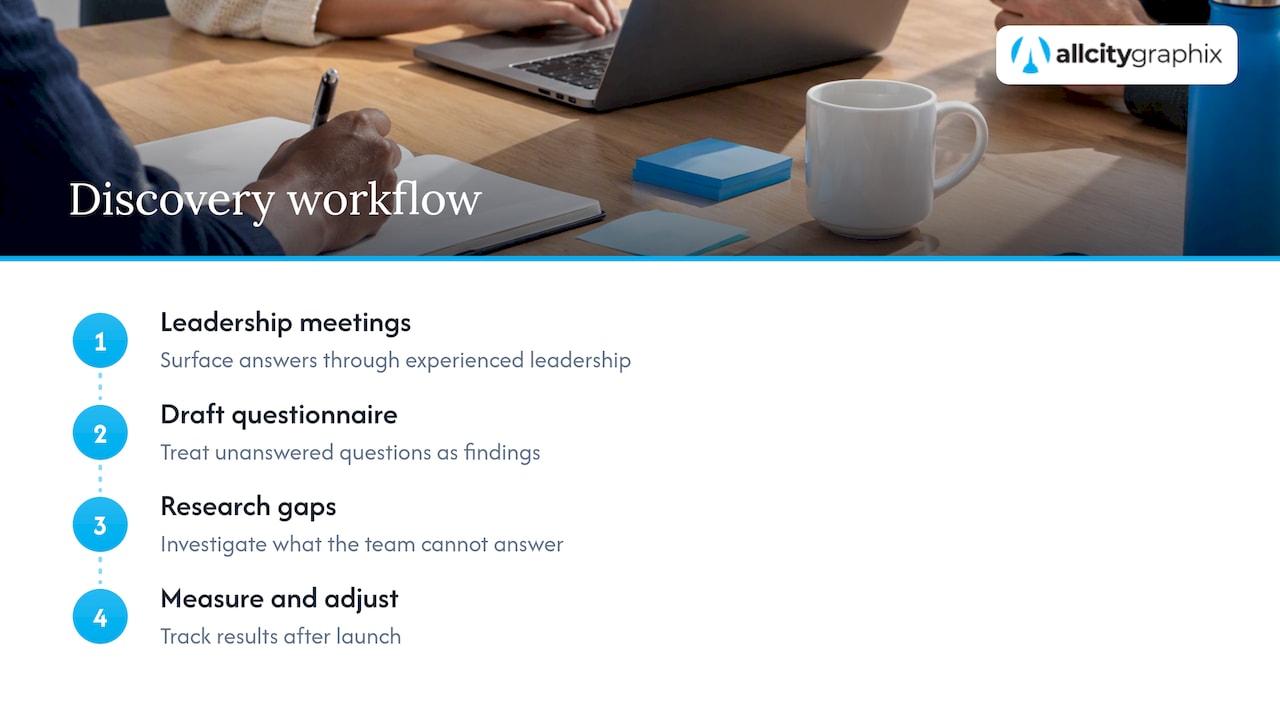
We also treat the questionnaire as a draft. If you cannot answer a question, that is a finding, not a failure. It tells us where to research, and often it is the most valuable thing discovery produces.
And discovery does not end at launch. Measure against the numbers you set in Part 1, then adjust. A website is a working part of the business, and it deserves the same follow-up as a sales process.
— Alex
How to run your own discovery in a week
- Day 1: Write answers to Parts 1 and 2 alone. Keep each answer to two sentences.
- Day 2: Pull your numbers: traffic, leads, top pages, conversion rate, and the top five reasons customers contact you.
- Day 3: Talk to three customers and two employees. Ask what they tried to do on your site and what stopped them.
- Day 4: Gather content and brand assets. List what is missing.
- Day 5: Decide who signs off, set a budget range, and write a one-page scope draft.
Bring the result to whoever builds the site. If you work with a team, a tool that records decisions and their source in meetings helps you trace why something was agreed, which saves arguments in month three.
Working with All City Graphix
If you would rather not do this alone, we run discovery as the first step of branding, web design and digital marketing projects, then build to the goals you set. Our web design services cover WordPress and Shopify builds, and you can see everything we offer on our services page. To talk through your project, start at allcitygraphixny.com.
FAQ
How many discovery questions are enough?
There is no magic number. Most useful discoveries cover the seven areas above, which comes to roughly 20 to 35 questions depending on complexity. A five-page brochure site needs fewer than a store with integrations. Depth in the answers matters more than the count.
Who should be in the discovery meeting?
The person with final sign-off, someone who knows customers well, and whoever will maintain the content. Keep it small. A room of ten usually produces ten competing priorities.
How long does website discovery take?
For a small business, it often runs from a few days to a couple of weeks, depending on how fast you can gather content and numbers. Slower usually means missing information or unclear ownership, not a bigger site.
Is discovery the same as a project proposal?
No. Discovery produces the information a proposal depends on: goals, scope, constraints and risks. A proposal written without it is mostly a guess, and the price will move once the real requirements surface.
Do I need discovery if I am only refreshing the design?
Yes, a lighter one. Even a visual refresh can change URLs, navigation or accessibility, and each of those affects traffic and compliance. Check what must stay the same before you change how it looks.
Sources
- Discovery: Definition, NN/G
- Iterative Testing Decreased Mozilla Support Calls By 70%, NN/G
- Plan, Web Accessibility Initiative, W3C
- Site Moves and Migrations, Google Search Central
- Redirects and Google Search, Google Search Central