
A camera-ready step-and-repeat design comes down to three things: vector-quality logos, a repeat pattern (grid or offset) chosen for how photos actually crop, and a print-ready file with correct bleed and CMYK color. Get those right and every photo taken at your event carries at least one clean, legible logo. Before you brief a designer or place an order, lock in:
- Vector logo files (AI, EPS, or PDF), not screenshots or low-res PNGs
- An offset pattern if the backdrop will see candid, off-angle photography
- A print-ready PDF with bleed marks and a CMYK color note for your printer
Key Takeaways
A step-and-repeat design succeeds when vector logos, a photo-tested pattern, and a print-ready file come together before the file ever reaches a printer.
| Point | Details |
|---|---|
| Choose offset for unpredictable photos | Brick patterns keep a logo visible across varied crops better than a straight grid. |
| Size logos by hierarchy | Set the primary brand 20 to 30 percent larger and scale mismatched aspect ratios by visual area. |
| Nail the file specs | Deliver vector logos, CMYK color, 1 to 2 inches of bleed, and a PDF/X or high-res TIFF export. |
| Match material to venue | Fabric reduces flash glare indoors; scrim vinyl holds up better outdoors. |
| Hire a pro for complexity | Allcitygraphixny handles multi-sponsor layouts, tight deadlines, and full print-to-install coordination. |
Templates and Tools for Designing Your Backdrop
For quick mockups, generators like BrandWallPro and Repeat Maker let you preview grid or offset patterns and export print files. Use them for a fast draft, then send the file through a prepress review before ordering a full run.
Table of Contents
- Step and Repeat Design Basics: Grid, Offset, and Logo Sizing
- File Specs and Print-Ready Checklist for Step and Repeat Printing
- Fabric or Vinyl: Choosing Materials for Your Photo Backdrop
- What Are the Standard Sizes for Step and Repeat Banners?
- How Much Does a Step and Repeat Banner Cost?
- Setting Up Your Backdrop for Consistent Event Photos
- Should You Design Your Backdrop In House or Hire a Pro?
- The Real Gap in Most Step and Repeat Advice
- Get a Camera-Ready Backdrop Built by Allcitygraphixny
- Sources
- FAQ
Step and Repeat Design Basics: Grid, Offset, and Logo Sizing
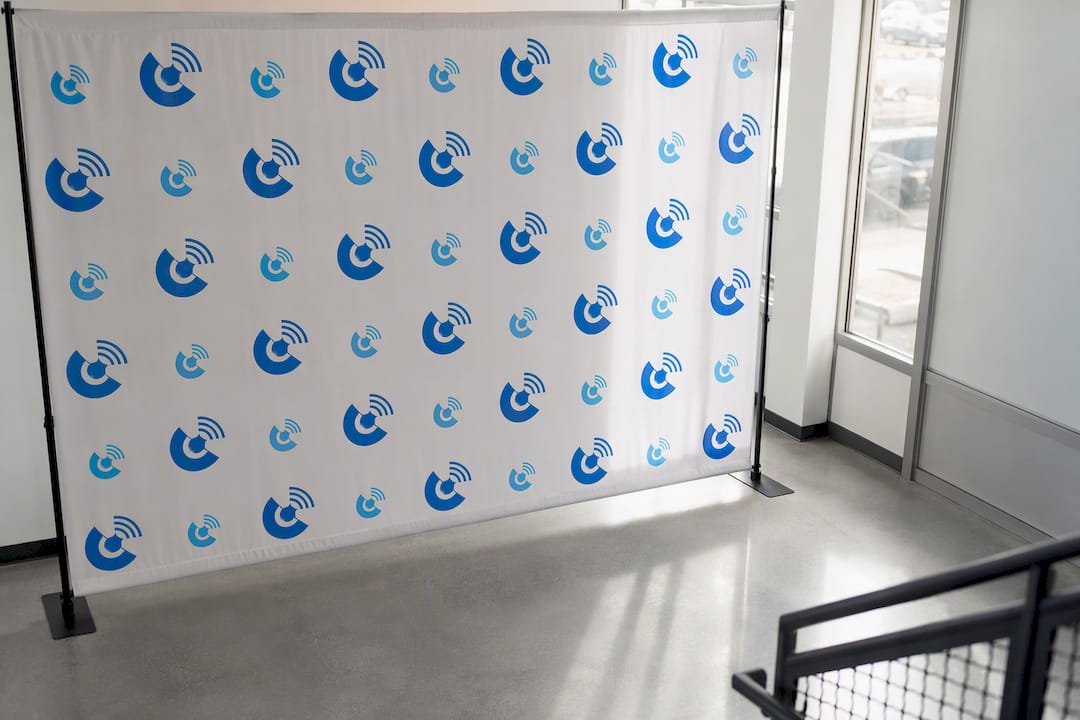
Two layout patterns dominate this category: grid, where logos line up in straight rows and columns, and offset (also called brick), where each row shifts half a logo-width from the one above it. Offset patterns are the classic choice because they keep a logo visible no matter how a photo gets cropped. Grid works fine for wide step-backs with a photographer shooting straight on, but offset is the safer default for step-and-repeat banners at press events, red carpets, or anywhere phones and cameras shoot from unpredictable angles.
Sizing logos correctly matters more than most people realize. A good rule of thumb: keep individual logo widths between 6 and 10 inches on an 8-foot-wide backdrop, and space them roughly 2 to 4 inches apart. Tighter spacing looks cluttered in wide shots; wider spacing wastes real estate you could use for another sponsor mark.
- Set your primary or host brand 20 to 30 percent larger than sponsor logos, so hierarchy reads instantly even in a quick phone photo.
- Scale logos with different aspect ratios by perceived visual area, not raw width. A tall, narrow logo and a wide, flat one need different treatment to look balanced side by side.
- Test your background color against your logo palette before finalizing. Neutral or white backgrounds photograph most reliably under press lighting, while dark backgrounds only work if your logos are light-colored and you’ve checked contrast under flash.
Pro Tip: Print a small proof section and photograph it under the same lighting your event will use. Screens lie about contrast; camera flash tells the truth.
File Specs and Print-Ready Checklist for Step and Repeat Printing
Printers work at a different scale than screens, so a file that looks sharp on your laptop can print blurry at 8 feet wide. Printers commonly request 100 to 150 DPI at final size, or 300 DPI if you’re designing at one-third scale and then having the file scaled up for output.
Before you hand off a file, confirm:
- All logos are vector (AI, EPS, or PDF) or high-resolution raster art, never a low-res web logo
- Color mode is CMYK, not RGB. What looks vibrant on-screen often shifts noticeably once printed
- Bleed of 1 to 2 inches surrounds the full design, with a 2-inch safe area keeping logos and text away from trim edges
- Final export is PDF/X or a flattened, high-res TIFF, not a JPEG or a native Illustrator file
Skipping any one of these is the single most common reason a step-and-repeat comes back with shifted colors, cropped logos, or a soft, pixelated print. A quick prepress proof from your printer catches these issues before a full production run, not after.
Fabric or Vinyl: Choosing Materials for Your Photo Backdrop
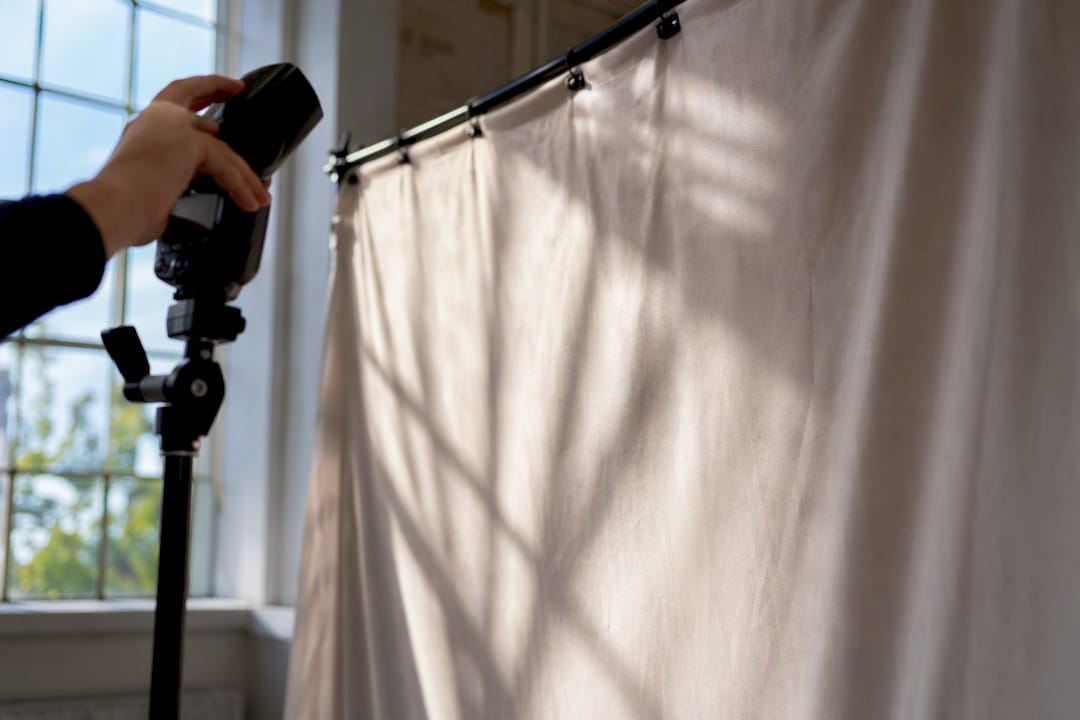
The substrate you choose affects how your backdrop looks in every single photo, not just how long it lasts. Fabric backdrops printed with dye-sublimation produce a matte finish that press photographers prefer, since it doesn’t bounce flash back into the lens the way glossy vinyl can.
Vinyl still has its place. Scrim vinyl, the 13-ounce material used for most outdoor step-and-repeats, holds up to wind, rain, and repeated setup far better than fabric.
- Fabric: matte finish, low glare, wrinkles easily if not tensioned properly, best for indoor press walls
- Vinyl: durable, weather-resistant, glossier finish, better for outdoor or multi-use events
- Hardware: retractable stands for quick setups, tension frames for a wrinkle-free fabric look, pop-up frames for large trade show backdrops
- Finishing: ask your printer about grommets for pole-mounted setups versus pole pockets for a cleaner, seamless edge
What Are the Standard Sizes for Step and Repeat Banners?
Most step-and-repeat orders fall into a handful of standard dimensions, and each size calls for different logo proportions to keep the pattern from looking sparse or overcrowded.
For solo or two-person portraits, a tighter offset pattern with smaller logos keeps multiple brand marks in frame. For larger group shots, size logos up slightly so they still read clearly from a greater camera distance. Virtual or hybrid events have their own quirks: a backdrop viewed through a webcam only needs the section actually in frame designed at full quality, so confirm your camera framing before finalizing logo placement.
- 8×8 backdrops typically fit 2 to 3 logo columns in an offset pattern
- 10×20 backdrops can comfortably hold 6 or more sponsor logos without feeling cramped
How Much Does a Step and Repeat Banner Cost?
Pricing varies widely based on size, material, and turnaround, but most single custom backdrops fall somewhere between economy vinyl banners on the low end and premium fabric displays with hardware on the high end. What actually moves the price:
- Overall size, since larger formats use more material and ink
- Material choice, with dye-sublimated fabric generally costing more than standard vinyl
- Finishing details like grommets, pole pockets, or reinforced edges
- Hardware, whether you need a basic stand or a full tension frame system
- Rush production and physical proofs, both of which add cost but reduce risk
If your logos or brand colors are non-negotiable for a client or sponsor, request a physical proof or certified color sample before committing to a full production run. It costs more upfront but avoids reprinting an entire backdrop over an off-brand blue.
Setting Up Your Backdrop for Consistent Event Photos
Even a perfectly designed step-and-repeat can photograph poorly if the install and lighting are wrong. A few adjustments on-site make a measurable difference in how consistently logos show up in usable photos.
- Position subjects roughly 2 to 3 feet in front of the backdrop to avoid harsh shadows falling directly behind them.
- Use diffuse lighting where possible. Direct on-camera flash bounces hard off vinyl and can wash out logos closest to the flash.
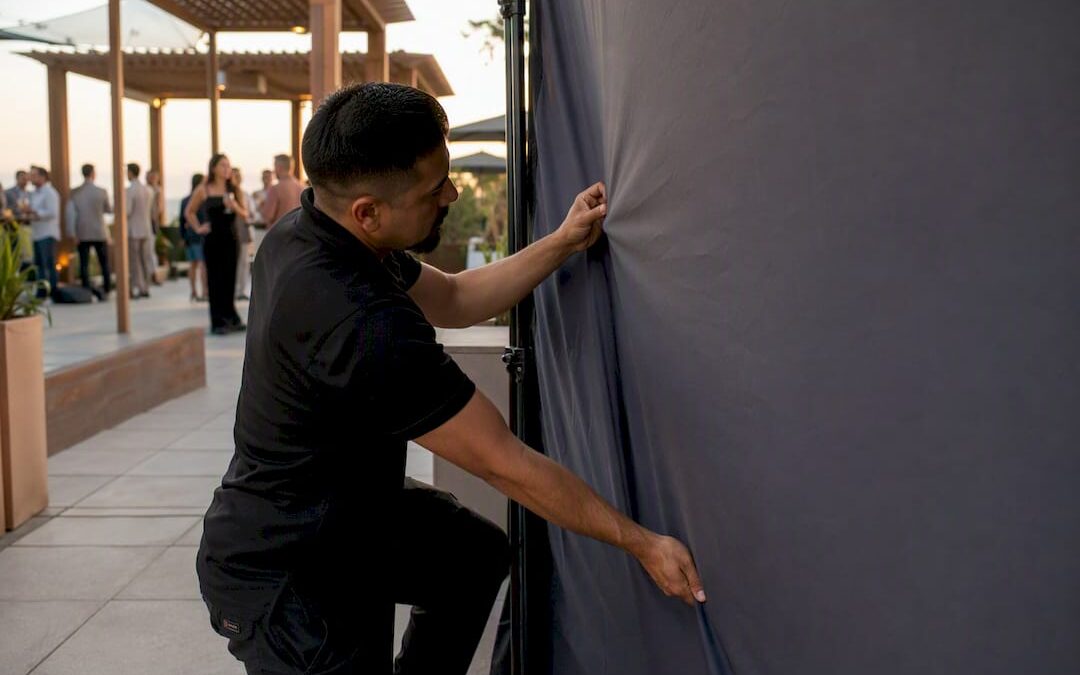
- Tension the fabric or vinyl fully during setup. Wrinkles catch shadows and make logos look distorted in photos, especially near the top where lighting hits at an angle.
- Brief photographers on crop-safe framing so they know how tight they can shoot without cutting off a sponsor’s logo entirely.
Pro Tip: Do a five-minute test shoot right after setup, at the actual event lighting, before guests arrive. It’s the cheapest insurance against a backdrop full of blown-out logos.
Should You Design Your Backdrop In House or Hire a Pro?
A simple single-sponsor backdrop for a small internal event is often fine to build with a template generator and a local print shop. The moment you’re juggling five or more sponsor logos, tight turnaround windows, or a large-format install that needs on-site coordination, the math shifts toward hiring a professional.
Alex has spent 15-plus years at Allcitygraphixny handling exactly this kind of production work, and the pattern holds across projects: complex sponsor hierarchies and hard deadlines are where DIY tools run out of runway.
A full-service engagement typically includes:
- A discovery conversation to understand sponsor tiers, event format, and photo goals
- Custom layout design with proper logo hierarchy and optical scaling
- Print-ready file preparation and vendor coordination for production
- Optional on-site install and photography support
The Real Gap in Most Step and Repeat Advice
Most guides on this topic treat step-and-repeat design as a template exercise: drop in a logo, pick a pattern, done. That misses the part that actually determines whether the backdrop earns its cost, which is how it performs under real event lighting with a real photographer working fast.
Conventional advice tends to over-index on file specs and under-index on optical judgment calls, like how to scale a tall logo against a wide one so neither looks like an afterthought, or how a dark background that looked sophisticated on a monitor turns into a muddy mess under on-camera flash. Those are design decisions, not export settings, and they’re exactly where a template generator falls short.
If you take one thing from this, prioritize the photo test over the file checklist. A technically perfect PDF with the wrong contrast or a cluttered logo hierarchy still produces bad photos. Get the pattern, sizing, and background contrast right first. The file specs matter, but they’re the easy part once the design itself is sound.
Get a Camera-Ready Backdrop Built by Allcitygraphixny
Generators and templates get you a rough draft. What they don’t do is catch a logo hierarchy problem, scale a mismatched sponsor mark correctly, or coordinate a print run with a hardware vendor on a tight timeline. That’s the gap Allcitygraphixny closes for event organizers, marketers, and business owners who need a backdrop that actually performs under real event lighting.
Allcitygraphixny’s event design work covers the full path from sponsor logo cleanup to print-ready file handoff, so you’re not stitching together a generator, a print shop, and a hardware order on your own. If your logos need vector cleanup before they’re print-ready, the logo design team handles that too. Reach out through the services page to get a quote on your next step-and-repeat before your event date locks in.
Sources
- How to Design a Step and Repeat Banner: A Complete Guide for Events and Brand Activations
- Repeat Maker | Step and Repeat Generator & Pattern Repeat Tool
- Free Step and Repeat Generator – Create Logo Backdrop…
- Step and Repeat Generator for Events | CheapRushPrinting
FAQ
How much does it cost to create a step and repeat banner?
Pricing depends on size, material, and finishing, ranging from economy vinyl options on the low end to premium dye-sublimated fabric with tension frame hardware on the high end. Rush turnaround and physical color proofs both add to the base cost.
How many logos should be on a step and repeat?
There’s no fixed limit, but an 8×8 backdrop typically fits 2 to 3 logo columns comfortably, while a 10×20 backdrop can hold 6 or more sponsor logos without looking cluttered. Prioritize the primary brand at 20 to 30 percent larger than sponsors to keep hierarchy clear.
What is a step and repeat wall?
A step-and-repeat wall is a backdrop made by repeating one or more logos in a grid or offset pattern so at least one logo appears in any photo crop taken in front of it. It’s the standard branded backdrop used at press events, red carpets, and step-and-repeat photo stations.
What is the best size for a step and repeat banner?
An 8×8 foot backdrop works well for solo or two-person portraits, while 10×20 foot backdrops suit larger group shots and trade show entrances. Recommended logo widths scale with size, running roughly 7 to 8 inches on an 8×8 and up to 9 to 10 inches on a 10×20.