
Image SEO for ecommerce means making every product photo easy for search engines to find, understand and load quickly. In practice that comes down to six things: short descriptive file names, useful alt text, the right dimensions and format, compression, standard HTML image markup, and a way to check that it all works. This guide walks through each one, with the specific numbers and platform rules, including what Shopify does for you automatically.
TL;DR
- Use standard HTML
<img>elements with a fallbacksrc, short descriptive file names and alt text that describes the product in context, without keyword stuffing. - Upload sharp images at 2048 x 2048 px for square Shopify product shots (Google Merchant Center asks for 1500 x 1500 px or larger for main images), then let compression and modern formats keep pages fast.
- On a large catalog, fix the system that generates file names and alt text instead of editing photos one by one.
- Track results in Google Search Console’s Image filter and in Core Web Vitals reports, and compare before and after.
Table of Contents
- Why product images deserve their own SEO pass
- Start with markup search engines can read
- File names that describe the product
- Alt text for product images
- Image size for ecommerce: dimensions, weight and format
- Compression and speed without blurry photos
- Shopify image SEO: what is automatic and what is yours
- Help search engines discover your images
- Perspective: what we see in image work
- Let us build image SEO into your store
- How to check that it is working
- A short audit you can run this week
- FAQ
- Sources
Why product images deserve their own SEO pass
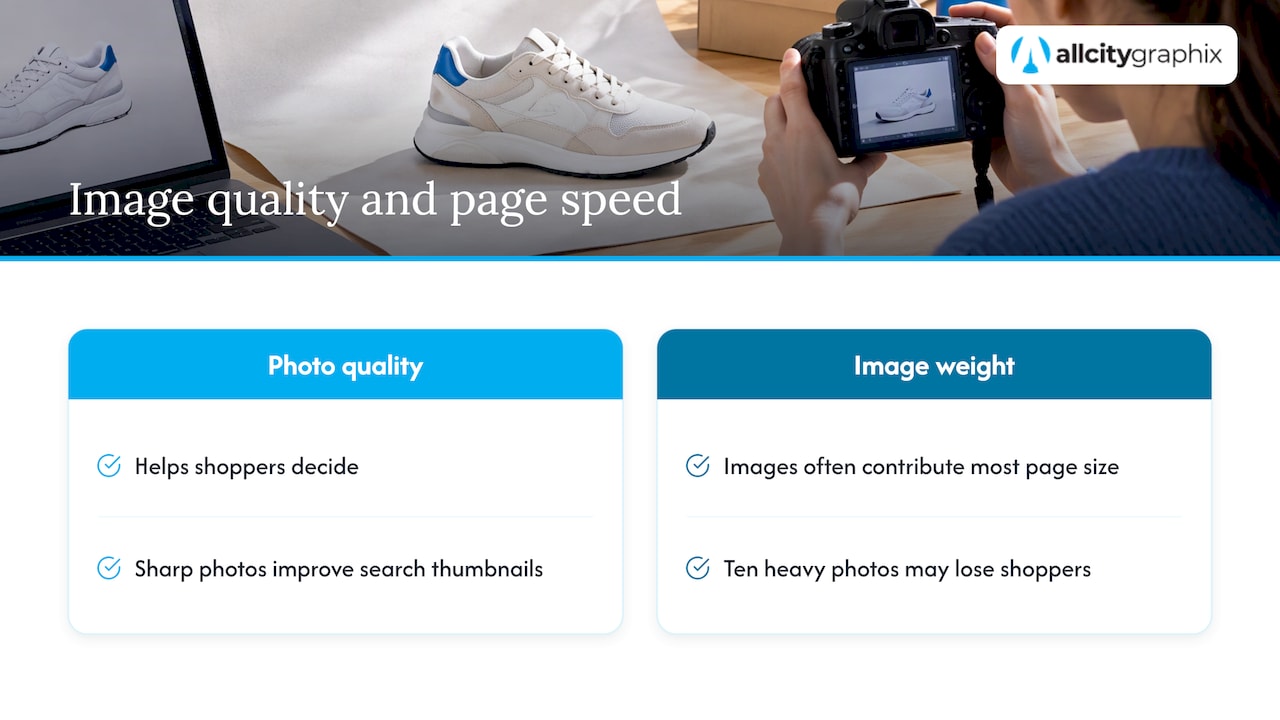
Product images do two jobs at once. They help shoppers decide, and they give search engines more context about the page. Shopify describes image SEO as optimizing website images so search engines can find them, which can help pages rank and bring traffic. Google also notes that sharp, high-quality photos can make your thumbnails more appealing in search results.
There is a cost side too. Google points out that images are often the largest contributor to page size and can make pages slow and expensive to load. A store with ten heavy photos per product page can lose shoppers before the first image appears. Image SEO is therefore a balance: enough quality to sell, little enough weight to load fast.
If you are still planning the photos themselves, our guide to building a 6 to 8 image product set covers what to shoot. This article picks up once the files exist.
Start with markup search engines can read
Before you touch file names or alt text, check how images are placed on the page. Google recommends standard HTML <img> elements so crawlers can find and process them, and it does not index CSS background images. If your product gallery is built from CSS backgrounds, those photos are invisible to image search.
Google can find images in the src attribute of an <img> element. For responsive markup, always specify a fallback URL in src, because some browsers and crawlers do not understand srcset or other responsive attributes.
A correct product image looks like this:
<img src="/images/navy-wool-crewneck-sweater-front.jpg"
     srcset="/images/navy-wool-crewneck-sweater-front-600.jpg 600w,
             /images/navy-wool-crewneck-sweater-front-1200.jpg 1200w"
     sizes="(min-width: 990px) 50vw, 100vw"
     width="1200" height="1200"
     alt="Navy wool crewneck sweater, front view">
Note the file extension matches the file type, which Google also recommends, and the width and height attributes are present. We come back to why in the performance section.
File names that describe the product
Google recommends short, descriptive file names. The camera default, IMG_4821.jpg, tells a crawler nothing. navy-wool-crewneck-sweater-front.jpg tells it the product, the material and the angle.
A simple pattern works for most catalogs:
- Brand or product line, if shoppers search for it.
- Product type and the attribute that matters (color, material, size).
- The view: front, back, detail, in use.
- Hyphens between words, lowercase, no spaces.
Keep it short. Three to six words is plenty. Do not repeat the same keyword five times; a name like sweater-sweater-buy-sweater.jpg reads as spam to people and machines alike.
Alt text for product images
Google says alt text is the most important attribute for image metadata. It improves accessibility and helps Google understand what the image shows. It can also act as anchor text when the image is a link, which is common for collection page thumbnails.
What good product alt text looks like
Shopify’s advice for product photos is to be specific but concise, skip camera details and background, and write a description that serves the image’s purpose. Google adds that alt text should be useful, information-rich, in context and free of keyword stuffing.
Compare these:
| Quality | Example |
|---|---|
| Missing | alt="" on a product shot |
| Stuffed | alt="sweater buy sweater cheap wool sweater men sweater" |
| Too vague | alt="sweater" |
| Useful | alt="Navy wool crewneck sweater, front view" |
| Useful for a variant | alt="Navy wool crewneck sweater, close-up of ribbed cuff" |
Two more habits help. NN/G advises frontloading the most important words and not starting with “image” or “photo”, since screen readers already announce an image as an image. And NN/G recommends keeping alt text short, not much beyond about 150 characters, because screen reader users cannot pause and resume partway through it.
How long can alt text be?
Shopify caps product alt text at 512 characters and recommends 125 or fewer. In practice, aim for one clear line.
Decorative images and the empty alt attribute
WebAIM states that every image should have an alt attribute, even if the value is empty (alt=""). Reserve the empty value for purely decorative graphics, such as a divider line or background flourish. Never leave it empty on a product photo.
Image size for ecommerce: dimensions, weight and format
Two different numbers matter: pixel dimensions (how big the image is) and file weight (how many kilobytes it takes to download). Mixing them up is the most common mistake.
Pixel dimensions
The right dimensions depend on where the image is used.
| Source | Guidance |
|---|---|
| Shopify product media | For square product images, 2048 x 2048 px usually displays best. Use a consistent aspect ratio so images line up on collection pages. |
| Google Merchant Center | Aim for a main product image of 1500 x 1500 px or larger, sharp, with the product filling 75% to 90% of the frame. Replace anything below the 500 x 500 px minimum. |
| Shopify uploads | Higher-resolution images up to 5000 x 5000 px or 25 megapixels can be uploaded, but uploads cannot exceed 20 megapixels or 20 MB. |
A practical rule: shoot and export a square master at 2048 x 2048 px. It satisfies Shopify’s display guidance and clears Google’s 1500 px recommendation, and it leaves room for zoom.
File weight
Shopify’s image SEO guide gives a rule of thumb: keep image files under 100 KB, with many experts recommending under 70 KB. A 2048 px photo will often exceed that at full quality, which is why responsive delivery and compression matter. Treat the 100 KB figure as a target for the sizes your pages actually serve, not for the master file.
File formats
Google lists supported formats for Google Search images as BMP, GIF, JPEG, PNG, WebP, SVG and AVIF. Shopify’s theme image formats include JPEG, progressive JPEG, PNG, GIF, HEIC and WebP, and Shopify recommends JPEG for product images and slideshows.
Web.dev notes that WebP and AVIF may compress better than PNG or JPEG, and that lossy compression should be checked against your image quality standards. In plain terms: use JPEG as your upload format, let modern formats be served where supported, and look at the result before you approve a setting across the catalog.
Compression and speed without blurry photos
Web.dev explains that image optimization reduces network time by sending fewer bytes and by serving images sized for the visitor’s device. Three steps cover most of it:
- Resize to the display size. A phone showing a 400 px wide image should not download a 2048 px file.
- Compress with a quality check. Compare a compressed version to the original at 100% zoom on a product with fine texture, such as knit, leather or jewelry.
- Serve responsive images. Use
srcsetandsizes.
Shopify’s developer documentation says that without srcset and sizes, browsers may download desktop-sized images on mobile, wasting bandwidth and slowing Largest Contentful Paint. Its image_tag implementation generates responsive images with srcset, sizes and width and height attributes, which prevent layout shift, and uses Shopify CDN URLs with format conversion.
For a wider look at page speed beyond images, see our website speed optimization guide.
Shopify image SEO: what is automatic and what is yours
Shopify handles more than many store owners realize. According to the Shopify Help Center, it automatically selects the best available format, delivers WebP or AVIF when the browser supports it, may compress images when serving them through a theme, and uses lazy loading that first displays a smaller version. Images are not compressed on upload to the admin, which helps preserve original quality. Shopify’s performance documentation adds that its image CDN serves resized, compressed images and automatically compresses JPG, often serving WebP.
That leaves the parts only you can do:
- Upload the best-quality image you have, in JPEG for product shots.
- Write file names before upload, since renaming afterward is awkward.
- Write alt text for every product image and variant image.
- Keep a consistent aspect ratio across a collection.
- Make sure your theme uses
image_tagor equivalent responsive markup, particularly on custom or older themes.
For the rest of the product page, including titles, descriptions and structured data, read our Shopify product page SEO guide. For the full store, the Shopify SEO checklist puts images in context with the other priorities.
Help search engines discover your images
Google says an image sitemap can provide image URLs it might not otherwise find, which helps when images load through scripts or sit on a separate domain. Structured data that includes an image attribute can make images eligible for certain rich results and Google Images badges.
Place each image near relevant text on the page. A product photo next to a clear title, description and price gives context that a gallery alone cannot.
Fix the system, not the photo
If you have hundreds or thousands of products, Shopify’s audit checklist says to audit the system producing file names and alt text rather than editing images one by one. Practically, that means a naming convention in your product data spreadsheet, a template that builds alt text from product title plus variant plus view, and a rule that no product goes live without both.
Perspective: what we see in image work
Most stores we meet treat product photos as a design asset first and an SEO asset never. We think they are both, and the best results come when the two are planned together.
Our process starts with discovery: who buys, how they shop, what the catalog looks like. From there, the photography, the file naming and the page templates are built as one system. A photo shot at the right ratio, named properly and placed in a clean template does more work than a gorgeous image that nobody can find or that takes six seconds to load.
That is why we pair graphic design, web development and SEO under one roof, with direct access to experienced leadership. The goal is a store that looks like your brand, loads quickly and keeps improving after launch.
Alex
Let us build image SEO into your store
If your catalog needs consistent photography, a template that handles responsive images, or an SEO pass over what is already live, we can help. All City Graphix is a New York City creative agency with over 15 years of experience in branding, web design and digital marketing, including WordPress and Shopify development, custom photography and SEO. See the full list on our services page or the graphic design page.

Tell us about your store and we will start with a discovery conversation, then recommend a plan that fits your catalog and goals.
How to check that it is working
Image SEO changes should be measured, not assumed. Two views cover it.
Search performance
Advanced Web Ranking suggests using the Image filter in the Google Search Console Performance report, which shows impressions, clicks, click-through rate and average position for Google Images specifically. Record the numbers before you change anything, then compare after a few weeks.
Page experience
Shopify’s audit checklist says its Web Performance reports use real-user data and cite Core Web Vitals thresholds of LCP within 2.5 seconds, INP within 200 ms and CLS of 0.1 or lower as good. The same checklist suggests narrowing problems using the Page Type and Page URL reports in Shopify Analytics, then testing representative URLs in Google PageSpeed Insights for element-level detail.
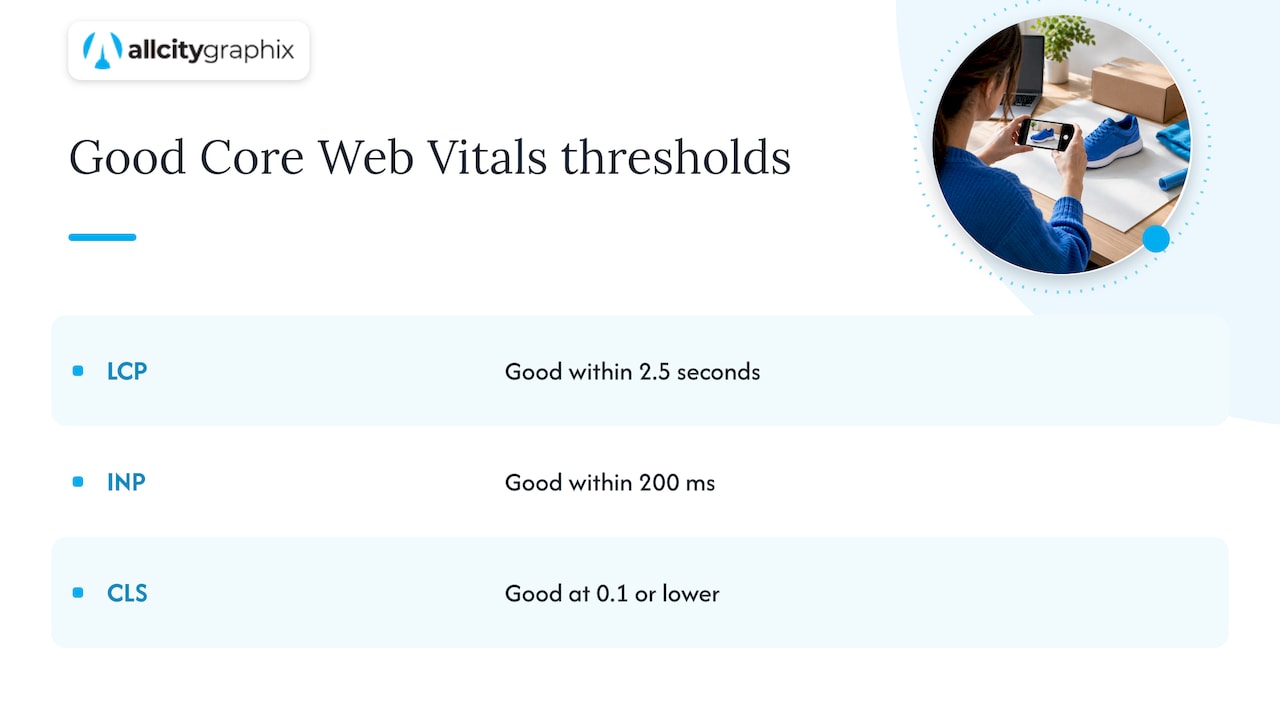
On product pages, the hero image is often the LCP element. If that metric is slow, start with that photo: its size, format, and whether it is lazy loaded when it should load immediately.
A short audit you can run this week
- Pick your ten best-selling products and open each in a browser.
- Check that the gallery images are real
<img>elements with asrc. - Read file names and alt text. Rewrite any that are default camera names, empty or stuffed.
- Check dimensions: square, consistent ratio, 2048 px master where possible.
- Run each page through PageSpeed Insights and note the LCP element.
- Record your current Image filter data in Search Console.
- Apply the fixes, then roll the naming and alt text pattern to the rest of the catalog.
For the non-image items on each page, our on-page SEO checklist is a natural next step.
FAQ
What is the best image size for ecommerce?
For Shopify, 2048 x 2048 px usually displays best for square product images. Google Merchant Center asks for a main product image of 1500 x 1500 px or larger. A 2048 px square master meets both, and responsive delivery then serves smaller versions to smaller screens.
How long should alt text for a product image be?
Shopify allows up to 512 characters and recommends 125 or fewer, while NN/G suggests staying near 150 at most. Describe the product, its key attribute and the view in one line, and skip phrases like “image of”.
Does Shopify optimize images automatically?
Partly. Shopify picks the best format, serves WebP or AVIF when supported, may compress images through the theme and lazy loads them. It does not write your file names or alt text, and it cannot fix poor source photos, so those stay your job.
Do I need an image sitemap?
It helps when Google might not find your images through normal crawling. Google says an image sitemap can supply image URLs it might otherwise miss. Pair it with standard <img> markup and structured data that includes the image attribute.
Sources
- Image SEO Best Practices | Google Search Central
- Image SEO Guide: How To Optimize Images for Search | Shopify
- Image Alt Text: How to Write It for SEO | Shopify
- Alt Text: What to Write | NN/G
- WebAIM: Alternative Text
- Uploading images | Shopify Help Center
- Product media types | Shopify Help Center
- Image best practices | Google Merchant Center Help
- Image performance | web.dev
- Improving your online store’s performance | Shopify Help Center
- Serve correctly sized images with srcset and sizes | Shopify.dev
- Ecommerce SEO Audit: Shopify Checklist | Shopify
- Measuring Visual Search | Advanced Web Ranking