

To rank a Shopify product page, give it one clear search target, a descriptive title that becomes the H1, a unique meta title and meta description, an original description, properly described images, Product structured data, a clean URL and links from collections and related pages. Shopify handles much of the technical groundwork. The parts that decide whether a page ranks and sells are yours: the words, the images and the structure around the page.
This guide walks through each element in the order you would work on it, with the limits and settings that matter.
TL;DR
- Pick one specific, product-level search term per page and confirm that shoppers searching it want to buy, not read a guide.
- Write a plain product title (it becomes the H1), a meta title of about 60 characters and a meta description of about 160 characters, all unique.
- Describe the product in original copy: what it is first, then materials, size and use. No pasted manufacturer text, no keyword stuffing.
- Use descriptive file names and honest alt text, add Product structured data, keep the URL handle short and link the page from its collection.
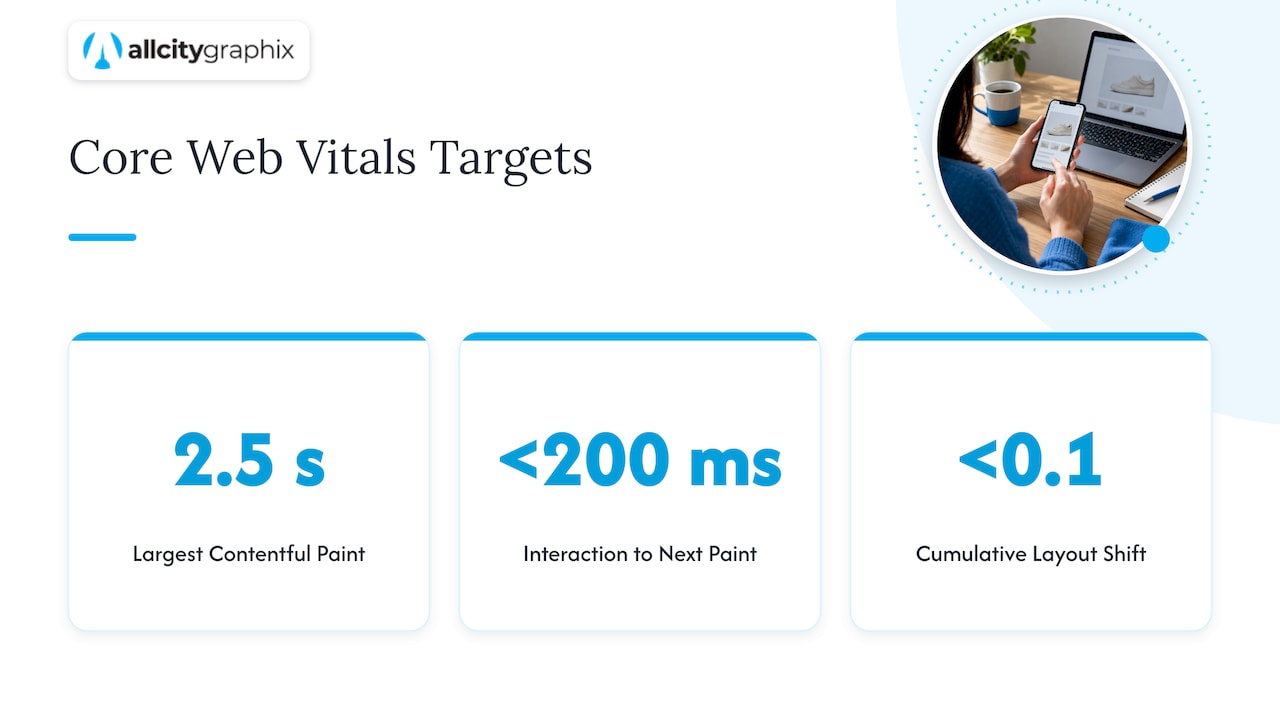
- Check speed on mobile. Core Web Vitals targets are LCP within 2.5 seconds, INP below 200 milliseconds and CLS below 0.1.
Table of Contents
- Start with the search term and the page type
- Write the product title, which becomes your H1
- Set the meta title and meta description
- Write product descriptions that earn their place
- Optimize product images
- Add Product structured data
- Keep URLs clean and build internal links
- Check speed and mobile experience
- A product page SEO checklist
- Our perspective: treat the page as a sales conversation first
- Get help with your Shopify store
- Frequently asked questions
- Sources
Start with the search term and the page type
Product page SEO fails most often before a single word is written, because the page is aimed at the wrong search. Shopify’s own keyword guidance says to prioritize terms that are specific to your products and business and that customers actually use, and notes that high-traffic terms can also be more competitive (Shopify Help Center).
A workable way to find those terms:
- Type the product into Google and read the autocomplete suggestions and the related searches at the bottom of the results.
- Open the pages that already rank and note how they name the product, which attributes they mention and what page type they are.
- Check volume and difficulty in a keyword tool such as Google Keyword Planner. Shopify’s 2026 ecommerce SEO guide suggests exactly this mix of autocomplete, related searches, top-ranking pages and keyword tools (Shopify).
Then match the term to the right page. Shopify recommends putting specific, high-intent product searches on product pages, broader comparison searches on collection pages and educational searches on guides or blog posts (Shopify). Its keyword-research guide also separates transactional product queries from commercial category queries and informational queries, and suggests mapping each keyword theme to the page type that satisfies it (Shopify).
In practice that means:
| Shopper searches | Example | Best page |
|---|---|---|
| A specific product with attributes | “women’s waxed canvas tote bag navy” | Product page |
| A category or comparison | “best canvas tote bags” | Collection page |
| A how-to or question | “how to waterproof canvas” | Blog post or guide |
Two products that chase the same phrase compete with each other. If you sell near-identical items in several colors, consider one product page with variants instead of several thin pages. If you need a repeatable method for assigning terms to pages, our keyword mapping process covers intent clusters and how to check whether two terms deserve separate pages.
Write the product title, which becomes your H1
In Shopify, the product title becomes the page’s H1 by default, so it does two jobs: it tells shoppers what they are looking at and tells search engines what the page is about. Shopify’s 2026 product-page guide recommends a clear, descriptive title and natural shopper language rather than forced keywords (Shopify).
A good title names the product the way a customer would say it:
- Weak: “The Voyager”
- Better: “Voyager Waxed Canvas Tote Bag, Navy”
Brand names and clever product names are fine, but pair them with the product type. Put the most important words first, include the attribute shoppers filter by (color, size, material) when it genuinely distinguishes the item, and stop there. Do not stack synonyms into the title.
Set the meta title and meta description
Shopify lets you edit the search listing for each product in the “Search engine listing” section at the bottom of the product page in the admin. If you leave the fields empty, Shopify falls back to the product title and the start of the description. That is acceptable for a first draft and rarely ideal for a page you want to rank.
Meta title
Shopify’s Help Center recommends unique, descriptive page titles with the important target keyword near the beginning. It suggests staying around 60 characters to reduce truncation, even though the field permits up to 70 (Shopify Help Center).
A pattern that works for most catalogs:
Product type + key attribute | Brand name
For example: “Waxed Canvas Tote Bag, Navy | Harbor & Pine”. The meta title does not have to match the H1 word for word. It is your headline in the search results, so it can carry a small extra hook such as a material or a use case.
Meta description
Shopify recommends unique meta descriptions in plain, direct, readable language, and its Help Center suggests about 160 characters, warning that longer text may be shortened in results (Shopify Help Center). The description is not a direct ranking lever you can game, but it is the sales copy that earns the click.
Include:
- What the product is and its one or two strongest attributes.
- A reason to choose you: shipping speed, return policy, a material, a guarantee you actually offer.
- A natural nudge, not a shout.
Do not duplicate descriptions across variants or collections. If you have hundreds of products, write the top sellers by hand first and use a clear template for the long tail, then review it for awkward results.
Write product descriptions that earn their place
The description is where most stores lose ground, usually by pasting the manufacturer’s text that fifty other retailers also use. Shopify recommends unique descriptions that explain the product clearly, work in relevant long-tail terms naturally and use headings and scannable formatting instead of a wall of text (Shopify).
Shopify Enterprise adds a useful structure: state what the product is in the opening copy, then cover details such as materials and size, and use related phrases naturally instead of repeating the exact keyword in every sentence (Shopify Enterprise).
A description outline that holds up:
- One-sentence summary. “A waxed canvas tote with a zip top and interior laptop sleeve, sized for a 15-inch laptop.”
- Who it is for and when it is used. Commuting, travel, gym, gifts.
- Specifications. Materials, dimensions, weight, care, country of origin if relevant.
- Answers to the questions customers email you. Fit, compatibility, what is included.
- Proof. Reviews, certifications or warranty terms you can actually back up.
Google’s guidance is people-first: content should be useful and reliable for shoppers. Shopify’s product-page advice reflects that, favoring natural language and scannable formatting over keyword stuffing (Shopify). If a sentence exists only to repeat the keyword, cut it.
Where the description should sit
Shoppers want the price, images, variants and the buy button visible quickly, while search engines still read everything in the page’s HTML. Shopify recommends organizing dense product information with headings, accordions, drop-down tabs or pop-over boxes so it stays available without cluttering the page (Shopify). A short summary near the top, with specifications, care and shipping details in collapsible sections below, serves both audiences. Keep the text in the page itself rather than inside an image or a third-party widget that loads late.
Optimize product images
Images sell the product and also bring traffic from image search. Google Search Central recommends placing high-quality images near relevant text so users and Google can understand the image in the context of the page (Google Search Central).
File names and alt text
Name files before uploading: navy-waxed-canvas-tote-front.jpg rather than IMG_4821.jpg. Shopify’s product-page guide recommends descriptive file names and concise alt text (Shopify).
Google recommends alt text that is concise, descriptive and explains the image and its relationship to the page. Shopify says alt text should describe what is visibly shown instead of inserting irrelevant keywords (Google Search Central). Compare:
- Weak: “tote bag canvas bag best tote bag cheap”
- Better: “Navy waxed canvas tote bag with brown leather handles, front view”
Also write alt text for angle shots, detail shots and lifestyle images, each describing what that picture shows. Decorative images can stay without alt text.
Size and speed
Shopify’s guide says its CDN automatically resizes and compresses images (Shopify), which removes some work. You still need to upload reasonably sized originals rather than 8,000-pixel camera files, and keep the hero image from being lazy-loaded, since it is usually the largest element on the screen. For a practical image set, see our guide to building a 6 to 8 image product set that shows shoppers what they need to see.
Add Product structured data
Structured data is code that labels the facts on a page: name, price, availability, ratings, shipping and returns. Shopify explains that Product structured data can describe attributes such as price, availability, ratings and sizes and can make a page eligible for richer search results, though eligibility does not guarantee that Google will display them (Shopify).
Many Shopify themes output basic Product markup out of the box. Check yours rather than assuming:
- Open a live product URL in Google’s Rich Results Test.
- Confirm that name, image, price, currency and availability are present and match what shoppers see.
- If you want shipping and return details to show, review Google’s requirements for merchant listing structured data, which also explains the Search Console reports for product pages.
- If you use a reviews app, make sure it adds rating markup only for genuine reviews of that product.
Mismatches between markup and visible page content are a common cause of lost eligibility, especially when a price changes or a variant sells out.
Keep URLs clean and build internal links
Shopify says its online stores automatically use a logical content hierarchy, avoid iframes, and use standard characters with simple, readable URL structures (Shopify Help Center). Your part is the handle, the last piece of the URL. Keep it short and descriptive, such as navy-waxed-canvas-tote, and avoid changing it after launch. If you must change one, keep the automatic redirect option on so old links and rankings are not lost.
Internal links tell search engines which pages matter. Shopify’s on-page guide, citing Google’s link practices, says every page you want indexed should receive a link from at least one other page, and that descriptive anchor text helps search engines understand the destination (Shopify). The Help Center also recommends naming the linked product in the anchor text instead of using generic phrases like “click here” (Shopify Help Center).
For a product page, that means:
- Every product sits in at least one collection that is linked from your main navigation.
- Related products and “complete the look” blocks link with product names, not “view more.”
- Buying guides and blog posts link to the specific products they discuss.
- Products link back to the collection and to any relevant guide, such as a size chart or care article.
If you want the full store-wide sequence, our Shopify SEO checklist puts these steps in order alongside collection, blog and technical tasks.
Check speed and mobile experience
A product page that loads slowly or jumps around as it renders loses shoppers before copy or markup matters. Shopify reports Google’s Core Web Vitals targets as Largest Contentful Paint within 2.5 seconds, Interaction to Next Paint below 200 milliseconds and Cumulative Layout Shift below 0.1, and says Shopify Web Performance reports can monitor them by page URL (Shopify).
The usual culprits on product pages are stacked apps that each load their own scripts, oversized sliders, unoptimized video and pop-ups that shift the layout. Test on an actual phone, not only a desktop browser: can you reach the price, pick a variant and tap add to cart without zooming or waiting? A theme built for responsive layouts helps here, and our guide to responsive web design explains what to look for.
Finally, make sure Google can find everything. Shopify’s SEO overview recommends submitting your full domain sitemap to Google Search Console and making URLs and file names match the content (Shopify Help Center). Shopify generates the sitemap automatically; you only submit it.
A product page SEO checklist
Use this as a final pass before publishing or re-optimizing a page.
| Element | What to check |
|---|---|
| Target term | One specific, product-level term; intent is transactional |
| Title (H1) | Clear, natural, includes product type and key attribute |
| Meta title | Unique, about 60 characters, key term near the start |
| Meta description | Unique, about 160 characters, plain language, a reason to click |
| Description | Original, starts with what the product is, scannable |
| Images | Descriptive file names, accurate alt text, sensible dimensions |
| Structured data | Price, availability and ratings present and accurate |
| URL handle | Short, readable, stable |
| Internal links | Linked from a collection; descriptive anchors to related items |
| Speed | Core Web Vitals within the targets on mobile |
Our perspective: treat the page as a sales conversation first
We have spent more than 15 years helping businesses explain who they are and why they are worth choosing, and the pattern on product pages is the same as on any other page. Stores that rank and convert are rarely the ones with the cleverest SEO trick. They are the ones that understood what the shopper needed to know and said it clearly.
That is why we start with discovery, not with a plugin. Before touching a meta tag, we want to know who buys the product, what they compare it against, what makes them hesitate and what the brand can honestly promise. The answers shape the title, the first line of the description, the photography and even which products deserve a page of their own. Technical fixes then support a page that already persuades.
We also think SEO on a store is never finished at launch. Catalogs change, search results shift and a page that ranked last year may need fresh images or a rewritten opening. Ongoing support, not a one-time cleanup, is what turns a well-built product page into steady growth.
— Alex
Get help with your Shopify store
If you have dozens or hundreds of product pages and no time to rework them one by one, we can help. All City Graphix is a New York City creative agency that builds and improves ecommerce sites, combining web design and development, SEO, content and photography under one strategic process, with direct collaboration with experienced leadership. See our services or get in touch to talk through your store.

Frequently asked questions
How long should a Shopify product title and meta description be?
Keep the meta title to about 60 characters, since Shopify’s Help Center recommends that length to reduce truncation, though the field accepts up to 70. Aim for about 160 characters in the meta description. The product title itself, which becomes the H1, has no fixed limit, but a short, descriptive name reads best.
Do I need a different description for every variant?
Usually not. Variants such as color or size are normally best handled on a single product page with shared copy, with the variant-specific details (dimensions, color names) written clearly in the description. Separate pages only make sense when shoppers search for distinct products with distinct intent, and each page can carry genuinely unique content.
Does Shopify add structured data automatically?
Many themes output basic Product markup, but the details differ by theme and by the apps you use. Test a live product URL with Google’s Rich Results Test and confirm the price, availability and ratings match the page. Even with correct markup, Google does not guarantee that rich results will display.
Should product pages or collection pages target the broad keywords?
Collection pages are usually the better fit for broad, comparison-style searches like “canvas tote bags,” while product pages fit specific, high-intent searches with a model, material or attribute. Mapping each term to one page type keeps your own pages from competing with each other.
Sources
- Shopify Help Center: Adding keywords for SEO to your Shopify store
- Shopify Help Center: Optimizing your site structure for SEO
- Shopify Help Center: SEO overview
- Google Search Central: SEO Starter Guide
- Google Search Central: Merchant listing structured data
- Shopify: SEO Basics for Ecommerce
- Shopify: Keyword Research for Ecommerce
- Shopify: Ecommerce Product Page Optimization
- Shopify: Ecommerce Product Page SEO
- Shopify Enterprise: SEO Product Descriptions
- Shopify: On-Page SEO