

To preserve rankings during a website migration, build a complete URL inventory before touching anything, map every old URL to a live equivalent with a one-to-one 301 redirect, verify the new site’s crawlability on staging first, and monitor Google Search Console and analytics daily for at least two weeks after launch. Skip any one of those four, and you’re gambling with traffic that took years to earn.
TL;DR:
- Building a complete URL inventory and mapping each old URL to a new, relevant destination ensures the transfer of link equity and avoids traffic loss.
- Implementing non-changeable 301 redirects and testing them thoroughly before launch prevents long-term ranking damage caused by improper redirects or chains.
- Lowering DNS TTL to around 300 seconds 24 to 48 hours before the migration cutover minimizes silent propagation errors during the switch.
- Monitoring Google Search Console, analytics, and rankings daily for at least two weeks post-launch helps catch and fix issues early before they cause long-term damage.
- Keeping redirects active for at least 12 months is crucial to protect external backlinks, bookmarks, and user signals that influence domain authority and traffic.
Table of Contents
- Why Website Migrations Wreck SEO When They Go Wrong
- Pre-Migration Planning: Audit, Benchmark, and Map Dependencies
- How Do You Build and Test a Staging Site Without Hurting SEO?
- URL Mapping and Redirects: The Part That Actually Preserves Rankings
- What Happens on Launch Day? A Step-by-Step Runbook
- How Long Should You Monitor After a Migration?
- Technical Verification Checklist Before You Call It Done
- What All City Graphix Does Differently on a Migration
- An Editorial Take: The Discipline Migrations Actually Require
- How All City Graphix Handles Your Migration So You Don’t Have To
- Sources
- FAQ
Why Website Migrations Wreck SEO When They Go Wrong
Search engines don’t “know” your business moved. Googlebot only understands what it can crawl, and a migration changes almost everything it relies on: URLs, server responses, internal linking, sometimes the entire domain. When those signals shift without a map connecting old to new, the crawler treats your migrated pages as unfamiliar territory rather than a continuation of a page it already trusted.
Redirects are the mechanism that carries link equity and ranking history from an old URL to its replacement. A 301 tells Google “this content moved permanently, transfer the value here.” Skip the redirect, or point it somewhere irrelevant, and that value doesn’t transfer. It just evaporates. Missing or incorrect redirects, including the common shortcut of sending everything to the homepage, are a leading cause of long-term traffic loss after migrations, and the damage often doesn’t surface until weeks later, once Google has fully recrawled and dropped the orphaned URLs from its index.
DNS changes cause a quieter kind of damage. Switching nameservers without recreating every record at the destination can silently break MX records, killing email delivery, or break CNAME entries tied to third-party tools like CRMs and marketing platforms. Nobody notices until a client says their inquiry never arrived.
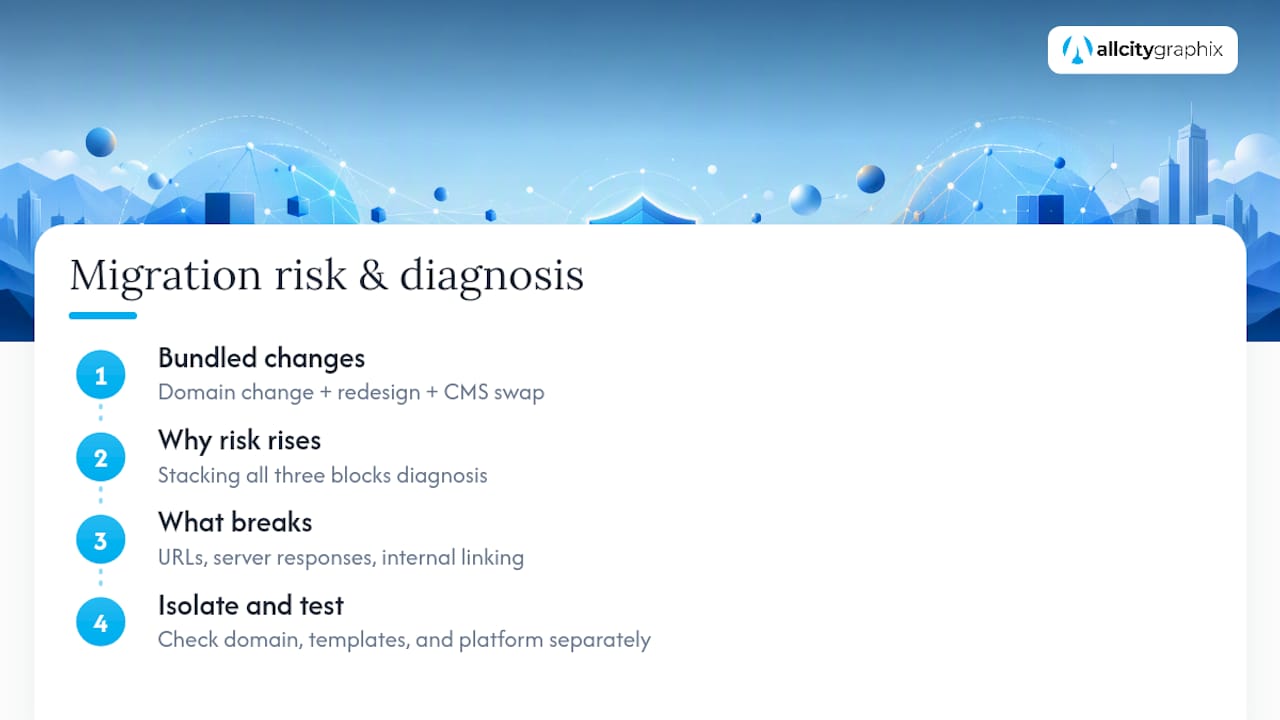
The riskiest migrations bundle three things at once: a domain change, a full redesign, and a CMS swap. Each one alone is manageable. Stack all three and a ranking drop becomes impossible to diagnose, because you can’t tell whether the URL structure, the new templates, or the platform migration itself caused the slide. Isolating variables where you can is one of the most underrated disciplines in this entire process.
Pre-Migration Planning: Audit, Benchmark, and Map Dependencies
Everything that goes wrong in a migration traces back to skipping this phase. Before anyone touches staging or DNS, the team needs a complete picture of what exists today and proof of how it’s performing right now.
Start with a full crawl. Tools like Screaming Frog or Sitebulb will export every indexable URL on the current site, along with status codes, titles, and internal link counts. Cross-reference that list against your Google Search Console coverage report and your XML sitemap, because those three sources rarely agree perfectly, and the gaps often reveal orphaned pages or old redirect chains nobody remembers building.
Next, pull your top pages by organic traffic (Google Analytics 4) and by referring domains (Ahrefs, Semrush, or GSC’s links report). These pages get priority treatment during redirect mapping and post-launch monitoring, because losing rankings on your top 20 pages hurts far more than losing them on page 340 of a blog archive.
- Export a full URL list with current traffic, backlinks, and rankings attached to each page
- Screenshot or export Core Web Vitals scores for your top templates (homepage, category pages, product or service pages)
- Save a GSC performance snapshot (clicks, impressions, average position) covering at least the prior 90 days
- Document every DNS-dependent service: email, CRM integrations, marketing pixels, CDN, SSL certificates
- Write a rollback plan naming who owns each critical system and how to reverse the cutover if something breaks
Where possible, freeze scope. A domain change alone is hard enough to attribute; a domain change plus a full visual redesign plus a new CMS makes root-cause analysis nearly impossible if something goes sideways in week two. Staging migrations as a sequence rather than a single leap, audit first, then build and test, then switch DNS, then monitor, measurably lowers the operational risk of the whole project.
This phase is also the right moment to audit content quality, not just URLs. Industry checklists consistently recommend using the migration as a chance to cut technical debt and low-value pages rather than dragging them onto the new domain, which avoids triggering a quality reassessment on a domain that’s already under scrutiny from a fresh crawl.
Finally, lower your DNS TTL to around 300 seconds 24 to 48 hours before cutover. A long TTL means DNS changes propagate slowly, and slow propagation during a live migration is exactly when things quietly break.
Pro Tip: If your old site’s export is incomplete, or nobody kept records of URLs deprecated years ago, pull historical snapshots from Archive to reconstruct what existed and confirm nothing with lingering backlinks gets missed in your redirect map.
How Do You Build and Test a Staging Site Without Hurting SEO?
Staging is where migration failures get caught cheaply. A production cutover is where they get caught expensively, usually by a client asking why traffic fell off a cliff.
- Mirror everything, not just the layout. Metadata, schema markup, and internal linking structure need to match the plan for the live site exactly, not a rough approximation. If staging uses placeholder title tags, your QA process is testing something that won’t exist on launch day.
- Block search engines, not your own team. Staging environments should carry a
noindexdirective or be gated behind HTTP authentication so Google never indexes a duplicate version of your site. Give your own crawling tools and any temporary reviewers direct access instead of relying on a public URL. - Run a full technical audit before launch, not after. Crawl the staging site with Screaming Frog, validate structured data, and run PageSpeed Insights against your priority templates. Fix what you find now, because fixing it post-launch means fixing it while Google is actively recrawling and forming first impressions of the new domain.
- Confirm every tracking and conversion flow fires correctly. Google Analytics 4, Google Tag Manager, and any checkout or lead-form flow need to be tested on staging under the exact configuration going live. A broken conversion pixel on day one means a week of blind reporting.
- Remove the noindex tag deliberately, and only once. This is the single most common migration failure: a staging noindex tag or robots.txt disallow rule ships to production and quietly deindexes the entire new site. Set a calendar reminder to verify this the moment the site goes live, not the next morning.
URL Mapping and Redirects: The Part That Actually Preserves Rankings
This is the section that decides whether your migration preserves five years of ranking history or throws it away. Everything else in this checklist supports the redirect map; the redirect map is the thing search engines actually use.
Building the map:
- Export every URL from your pre-migration crawl into a spreadsheet, one row per URL.
- For each row, assign a decision: keep as-is, redirect to a specific new URL, or remove and serve a 410 status.
- Match each redirected URL to the closest topical equivalent on the new site, not a category page and never the homepage by default.
- Flag any URL with meaningful backlinks or historical traffic for manual review before finalizing its destination.
- Have a second person spot-check a sample of the mapping before it goes into the redirect rules, because a spreadsheet built under deadline pressure has mistakes.
Once the map exists, implementation is where teams cut corners. Server-side 301 redirects are non-negotiable. They tell search engines a permanent move happened, and they pass link equity accordingly. Understanding how link equity transfer works under indexing algorithms like PageRank makes it obvious why a 302 (temporary) redirect, a JavaScript redirect, or a meta-refresh doesn’t do the job. Those methods either signal “this might change back” or force Googlebot to render the page before it discovers the redirect at all, adding delay and risk.
- Never use 302 redirects for a permanent URL change; they don’t pass equity the way a 301 does
- Avoid redirect chains, where URL A redirects to B, which redirects to C. Every hop dilutes signal and slows crawling
- Never mass-redirect long tail or low-traffic URLs to the homepage. A soft-404 pattern like that is one of the most common causes of lasting traffic loss after a migration
- For genuinely discontinued content with no equivalent, serve a proper 410 Gone status rather than faking a redirect
Testing the redirects matters as much as building them. Crawl the full old URL list against the new site with Screaming Frog’s redirect audit feature, checking for 200 status on every final destination, no chains longer than one hop, and no accidental loops. Then test manually: click through the top 20 pages by traffic yourself, on desktop and mobile, before you touch DNS.
What Happens on Launch Day? A Step-by-Step Runbook
Launch day succeeds or fails based on sequencing. Do these out of order and you’ll spend the afternoon debugging instead of celebrating.
- Confirm TTL is already low. If you didn’t lower it 24 to 48 hours ahead of time, you’re now stuck waiting out the old propagation window mid cutover, which is the worst possible time to discover that.
- Recreate every DNS record at the destination before switching nameservers. This includes A records, CNAME entries, and critically, MX records, along with SPF, DKIM, and DMARC entries, because a missed MX record means email silently stops arriving with no error message to alert anyone.
- Flip the switch, then verify propagation using a DNS checker tool from multiple geographic locations before assuming the change is live everywhere.
- Enable redirects immediately and remove any remaining staging blocks,
noindextags, or robots.txt disallow rules on the production site. - Publish the sitemap and submit it in Google Search Console. If you’re moving domains, this is also when you run the Change of Address tool, which requires verified ownership of both the old and new properties beforehand, not during the process.
- Run smoke tests immediately. Check status codes on your top 20 pages, submit a test form, complete a test checkout if you run e-commerce, and confirm GA4’s real-time report is registering hits from your own test session.
Nothing on this list is optional, and the order matters more than people expect. DNS and redirects first, sitemap and Search Console second, verification last, because verifying before the redirects are live just tells you the site is broken, which you already knew.
How Long Should You Monitor After a Migration?
The first 14 days after launch decide whether you catch problems while they’re cheap to fix or discover them after Google has already dropped pages from its index. Daily checks and same-day fixes in that early window measurably shorten recovery time compared to ad-hoc, occasional monitoring.
- Check GSC’s coverage report daily for the first two weeks, watching for spikes in 404s, 5xx errors, or pages marked “crawled, not indexed”
- Pull a traffic snapshot from GA4 every day for your top 20 pages and compare against the pre-migration benchmark
- Use URL Inspection in Search Console to manually request indexing on any priority page that hasn’t been recrawled within a few days
- Run a weekly rank tracking snapshot for your priority keyword list and compare movement against the benchmark captured before launch
- Reach out to sites linking to your highest-value pages and ask them to update the link directly rather than relying on the redirect alone
Redirects should stay live far longer than most teams assume. Plenty of migration guides suggest a few months is enough, but keeping redirects active for at least 12 months better protects the external signals, old bookmarks, and stray backlinks that take years to fully surface. Removing them early is a common, avoidable mistake.
Pro Tip: Set up a dedicated Slack or email alert for spikes in GSC’s 404 report during weeks one and two. Catching a broken redirect pattern on day three, before it’s crawled and indexed as an error, is dramatically easier than fixing it on day thirty.
Technical Verification Checklist Before You Call It Done
A handful of technical checks catch the failures that don’t show up in traffic dashboards until it’s too late to fix them quietly.
- Robots.txt and noindex tags: confirm nothing from staging carried over and blocked production by accident
- XML sitemap: accessible at its expected URL and submitted inside Google Search Console
- Canonical tags: self-referencing and pointing to the final production URL, not a staging or old-domain address
- Internal links: updated to point directly at final URLs rather than routing through a redirect chain
- Structured data: validated with Validator, confirming Organization, BreadcrumbList, and any Article or Product schema render without errors
- Analytics and conversion tracking: firing correctly and matching the real-time baseline you tested on staging
- Core Web Vitals: benchmarked before launch and re-checked after, with any regression in LCP or CLS flagged for immediate remediation
Comprehensive migration checklists covering benchmarking, URL mapping, staging validation, and post-launch monitoring materially cut the odds of a permanent ranking loss, and this technical pass is the difference between a checklist that looks thorough and one that actually catches problems. Slow pages after migration are a frequent, fixable culprit worth a dedicated performance review rather than a guess.
What All City Graphix Does Differently on a Migration
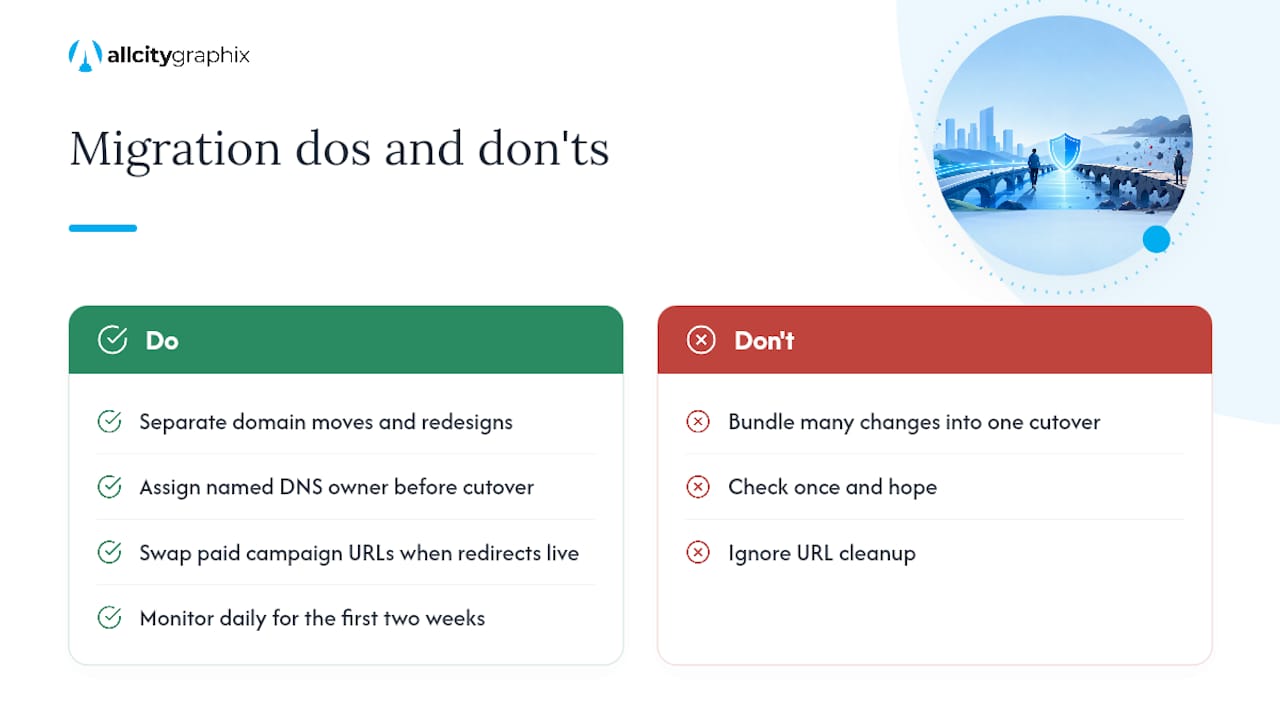
Most ranking losses trace back to bundling too many changes into one cutover. All City Graphix scopes migrations deliberately, separating domain moves from redesigns wherever a client’s timeline allows, because attribution only works when one variable changes at a time.
The agency’s runbook assigns a named owner to every DNS-dependent integration before cutover day, tracks paid campaign destination URLs for a swap the moment redirects go live, and keeps daily monitoring in place through the first two weeks rather than checking in once and hoping.
A migration is the one moment a business can fix years of accumulated URL clutter, thin pages, and broken internal links without starting from zero. Treat it as cleanup, not just a move, and the new site launches stronger than the one it replaced.
An Editorial Take: The Discipline Migrations Actually Require
Most migration failures aren’t technical mysteries. They’re the predictable result of skipping the boring steps under deadline pressure, no benchmark captured, no rollback plan, redirects treated as an afterthought instead of the main event.
If there’s one line worth bringing into a stakeholder meeting, it’s this: SEO isn’t a phase that starts after launch, it’s a constraint that should shape every migration decision from the first planning call.
— Alex
How All City Graphix Handles Your Migration So You Don’t Have To
All City Graphix runs migrations as a managed process, not a side task bolted onto a redesign. Where a DIY approach means one person juggling redirect spreadsheets, DNS records, and Search Console alerts at midnight, an experienced team splits that workload across specialists who’ve already caught the mistakes that sink other launches.

The engagement covers the full arc: a complete URL inventory and backlink audit, a one-to-one redirect map built and tested before cutover, direct ownership of launch-day DNS and Search Console steps, and two weeks of daily post-launch monitoring with same-day fixes. Most migration engagements run alongside a broader web design project, since a redesign and a platform move often happen together, but a domain move or CMS switch alone gets the same rigor. Deliverables include the benchmark report, the redirect map, and a 30-day performance recap comparing rankings before and after.
If a migration is on your calendar in the next few months, get ahead of it. Request a migration estimate from All City Graphix and get a scoped plan before you touch DNS.
Sources
- Site Moves and Migrations | Google Search Central | Documentation
- Website migration guide: how to safely move a live site – SiteGround Academy
- Website Migration SEO Best Practices To Preserve Rankings And Avoid Common Pitfalls
- Archive
FAQ
How Long Does a Website Migration Take to Recover Rankings?
Recovery time varies widely, but most well-executed migrations with a complete redirect map see rankings stabilize within a few weeks, while sites with redirect errors or missing mappings can see disruption for months.
Do I Need to Keep Old Redirects Forever?
Redirects should stay active for at least 12 months to protect old backlinks and bookmarks, since removing them early is one of the most common preventable mistakes after a migration.
Should I Use 301 or 302 Redirects for a Website Migration?
Use 301 redirects for any permanent URL change, since they pass link equity correctly; 302 redirects signal a temporary move and don’t transfer ranking signals the same way.
What Is the Biggest Mistake in Website Migration SEO?
Redirecting large numbers of old URLs to the homepage instead of their closest equivalent is the leading cause of long-term traffic loss after a migration.
Can All City Graphix Handle a Website Migration End to End?
Yes. All City Graphix manages the full process, including URL inventory, redirect mapping, launch-day execution, and two weeks of post-launch monitoring for clients moving domains, CMS platforms, or both.