

Website sitemap structure is the pairing of your navigation hierarchy with the URL list search engines read. The practical rule: keep important pages within 2–3 clicks of the homepage, and treat an XML sitemap as a crawl safety net, not a substitute for good information architecture. We follow Google Search Central and sitemaps.org, and we apply them daily at All City Graphix.
TL;DR:
- Build a visual sitemap from a content inventory before design, then move or regroup pages that sit more than three clicks deep.
- Root level sitemaps need absolute URLs from one host; exclude redirected, blocked, or error pages and never mix HTTP and HTTPS versions.
- Keep each XML file below 50,000 URLs and 50MB uncompressed; use a root level sitemap index to organize larger or separately managed sections.
- Treat lastmod as a meaningful change date, not a routine template timestamp; changefreq and priority are hints, not commands to search engines.
- Submit only the index in Search Console, check reports monthly, audit the full set quarterly, and review immediately after migrations or URL changes.
Table of Contents
- What are the three sitemap types, and when do you need each?
- What does an XML sitemap contain, and which rules break it?
- How do you manage multiple sitemaps and sitemap index files?
- How do HTML sitemaps and visual sitemap tools improve planning and UX?
- How does sitemap structure connect to site architecture and internal linking?
- How do you submit, validate, and maintain a sitemap?
- What we have learned about sitemaps in practice
- Need help turning your sitemap plan into a working site?
- FAQ
- Sources
What are the three sitemap types, and when do you need each?
Most sites benefit from these sitemap types, because each solves a different problem. Pick by the job you need done:
- XML sitemap: a crawler-facing file that lists URLs and can carry optional metadata such as lastmod, changefreq and priority, per the Sitemaps. Search engines use it to discover and re-check pages.
- HTML sitemap: a normal page for people, usually linked from the footer. It gives visitors and screen reader users another route to content, which is exactly what the W3C advises when it recommends multiple ways to navigate a site.
- Visual sitemap: a diagram of pages and their parent-child relationships. Designers and IA teams use it before a build or redesign to agree on structure with stakeholders.
A simple rule of thumb: XML is for crawl coverage, HTML is for findability, and a visual sitemap is for planning. A small brochure site might skip the HTML version, but nobody should skip the planning step. Drawing the structure first is far cheaper than moving pages after launch.
These sitemap types also work at different moments. The visual map comes first, during discovery. The XML file is generated once pages exist, and the HTML page is a finishing touch that catches anything your main menu cannot hold. Skipping the first step is the most common reason the other two end up describing a messy structure.
What does an XML sitemap contain, and which rules break it?
The protocol is strict but short. A valid file must be UTF-8 encoded, open and close with the correct tags, and include a <url> entry for each page with a required <loc> tag. A minimal entry looks like this:
<url>
  <loc>https://www.example.com/services/</loc>
</url>
Optional tags add context. <lastmod> states when a page last changed, <changefreq> hints at how often, and <priority> suggests relative importance within your own site. Treat all three as hints, not commands. A truthful lastmod is more useful than a hopeful priority value on every page.
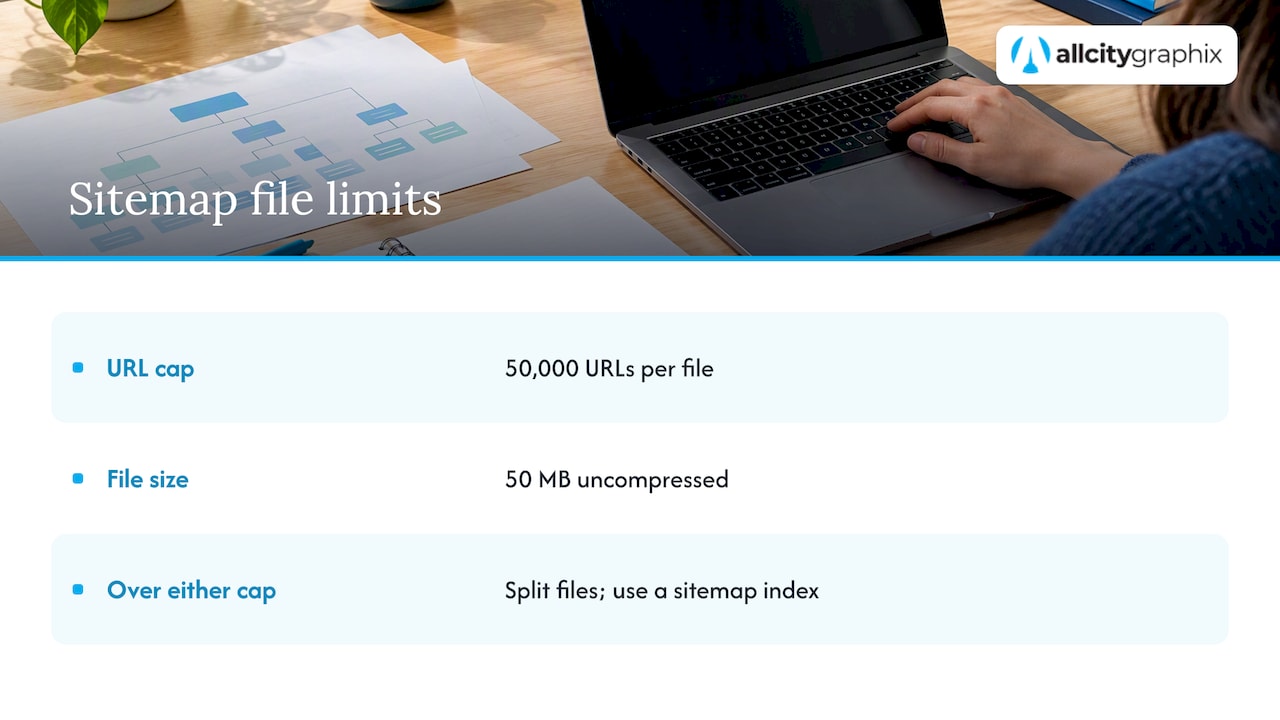
A sitemap file can contain no more than 50,000 URLs and must not exceed 50MB uncompressed.
That limit comes straight from the Sitemaps. When you pass either cap, split the list into several files and tie them together with a sitemap index file, covered in the next section.
The 50,000-URL and 50MB ceilings are the two numbers every sitemap owner should know, and a sitemap index is the fix when you hit them.
Host and path rules trip up many sites. A sitemap placed at /catalog/sitemap.xml can only list URLs under /catalog/. A sitemap listing URLs from a different host, or mixing http and https versions of the same page, will see those entries ignored. Placing the file at the site root avoids most of these problems, since a root file may reference any path on that host.
Other frequent breakers are unescaped special characters in URLs, relative URLs where absolute ones are required, and listing pages that redirect, return errors, or are blocked from crawling. Every URL you list should be one you actually want indexed.
How do you manage multiple sitemaps and sitemap index files?
Split when your site outgrows a single file or when different teams own different content. Reasons include large catalogs, separate content types, multiple languages, and separate write permissions on different parts of a server. A sitemap index file is simply a sitemap of sitemaps, and per the protocol it can list up to 50,000 sitemap files. You may also compress individual files with gzip to save bandwidth, though the uncompressed size limit still applies.
A practical rollout looks like this:
- Create one sitemap per content type or section, such as
/sitemap-posts.xml,/sitemap-products.xmland/sitemap-images.xml, or one per subdirectory. - Build a
/sitemap-index.xmlthat lists each of those files with its own location. - Place the index at the root so it can reference every child file without host or path conflicts.
- Submit only the index to search engines, and keep each child file under both size limits.
- Review each child file separately so an error in one section does not hide the health of the others.
Permissions matter here. If your blog runs on a different system than your store, giving each its own sitemap lets each team update its file without touching the other’s. The index then becomes the one stable address everyone shares.
How do HTML sitemaps and visual sitemap tools improve planning and UX?
An HTML sitemap earns its place by helping people who cannot or do not want to use your main menu. Screen reader users, visitors on slow connections, and anyone hunting for a buried page all benefit. It also pairs well with breadcrumbs, which our guide to WCAG-friendly website navigation covers in detail.
Visual sitemaps are where good structure begins. The workflow we use is simple:
- Crawl the existing site, or list planned pages from a content inventory.
- Map pages into a parent-child diagram.
- Review click depth and mark anything buried more than three clicks from the homepage.
- Fix or move pages until the priorities in the diagram match business priorities.
Tool types range from general diagramming apps to lightweight visual sitemap builders and crawler exports that turn a live site into a tree. The tool matters less than the review step: a pretty diagram of a bad structure is still a bad structure. Yale’s usability team describes a 3-click guideline with clear parent-child relationships and breadcrumbs, which is a sound target for the review.
Pro Tip: Limit each flowchart page to three levels, homepage, primary pages and secondary pages, as Open Berkeley suggests, and split deeper branches onto their own page so the printed or shared map stays readable.
Stakeholders respond better to a clean map than to a spreadsheet of URLs. Bring the diagram to the kickoff meeting, mark disagreements directly on it, and treat the approved version as the contract for navigation labels.
How does sitemap structure connect to site architecture and internal linking?
Sitemap structure is a picture of your architecture, and architecture drives rankings through crawlability and link equity. Practitioners aim for a flat structure where essential pages sit within 2–3 clicks of the homepage, which spreads link equity and makes better use of crawl budget, as Search Engine Land’s architecture guide explains. The same guide advises organizing around how users think, using task-oriented or topical groupings, rather than around your org chart.
Topic clusters are the practical engine. A pillar page covers a broad subject, and supporting pages go deep on subtopics and link back to the pillar. That pattern signals topical authority and lifts pages that have few direct links of their own. If you are deciding which pages become pillars, our keyword mapping and intent clustering guide shows how to group queries first, and our website content strategy guide covers the content side.
Internal linking tactics that work:
- Add contextual links from related articles to the pages you most want to rank.
- Link every cluster page up to its pillar, and the pillar down to each cluster page.
- Use footer links for utility and secondary pages, not for your money pages.
- Keep anchor text descriptive so the link explains the destination.
Entity clarity also supports discovery. Authority Engine’s piece on entity SEO and organization markup is a useful read on how structured data helps reduce brand confusion once your structure is sound.
One warning: exporting a sitemap from a broken structure only preserves the problem. Arizona State’s brand guide recommends user research such as card sorting before you finalize a sitemap, and we agree. Fix the architecture first, then document it.
How do you submit, validate, and maintain a sitemap?
Submission is quick, and maintenance is where most sites slip. Google supports several sitemap formats and recommends letting your CMS generate the file when it can, then submitting it through Search Console, according to Search Engine Land’s sitemap guide. The routine:
- Submit the sitemap or sitemap index in Google Search Console, then check the sitemaps and indexing reports for errors and excluded URLs.
- Declare the location in robots.txt with a line reading
Sitemap: https://www.example.com/sitemap-index.xml, which lets any crawler find it. - Troubleshoot in this order: encoding, host mismatches, invalid or relative URLs, redirected or blocked pages, then indexation gaps between submitted and indexed counts.
- Update lastmod only when a page changes in a meaningful way, not on every template tweak, so the signal stays trustworthy.
The sitemap format itself is a hard constraint: stay under 50,000 URLs and 50MB uncompressed per file, per the sitemaps.org protocol, and re-check the counts after every major content import.
A good cadence is a quick check of the Search Console report monthly, a full audit each quarter, and an immediate review after any migration, redesign or URL change. Mobile behavior also affects indexing priorities, and Maprank’s overview of SEO for mobile is worth a look when your audit turns up crawl gaps on phones. If a large indexed-versus-submitted gap persists, the cause is usually thin pages, duplicates or blocked resources, not the sitemap itself.
What we have learned about sitemaps in practice
We build sitemap planning into discovery. A content inventory and a visual sitemap come before design, because a diagram that stakeholders sign off on prevents expensive restructuring later. Our view is that the XML file is plumbing: necessary, mostly automatic, and never a fix for confusing navigation. Many owners over-invest in tweaking priority values and under-invest in naming pages the way customers search for them. When the structure matches how people think, crawlers follow without much help. We also handle submission, monitoring and upkeep after launch, since a sitemap left alone drifts out of date.
Need help turning your sitemap plan into a working site?
We handle this work end to end: web design, UX and information architecture workshops, SEO, content strategy and post-launch maintenance. Our discovery-led process starts with your goals and your audience, then maps pages to match, and we stay on after launch to keep everything healthy. If your structure feels tangled or your pages are not getting indexed, we can sort it out with you. See our full list of services and tell us where you are stuck.

FAQ
How do I create a sitemap for my website?
Start with a content inventory and a visual sitemap that shows how pages relate. Then let your CMS or a generator produce the XML file and submit it in Search Console. Google recommends CMS-generated sitemaps where possible.
Do websites still use sitemaps?
Yes. XML sitemaps remain a standard way to help search engines discover and re-check URLs, especially on large or new sites. HTML sitemaps also still help visitors and support the multiple navigation routes the W3C recommends.
How do I format a sitemap?
Use UTF-8 encoding, wrap entries in the proper tags, and give each page a <url> entry with a <loc> tag. Keep each file within the limits in the sitemaps.org protocol and use a sitemap index for larger sites.
What are the two main types of sitemaps?
XML sitemaps are written for search engine crawlers, and HTML sitemaps are written for human visitors. Search Engine Land’s sitemap guide describes both. A visual sitemap is a third, planning-stage tool used by designers.